"""
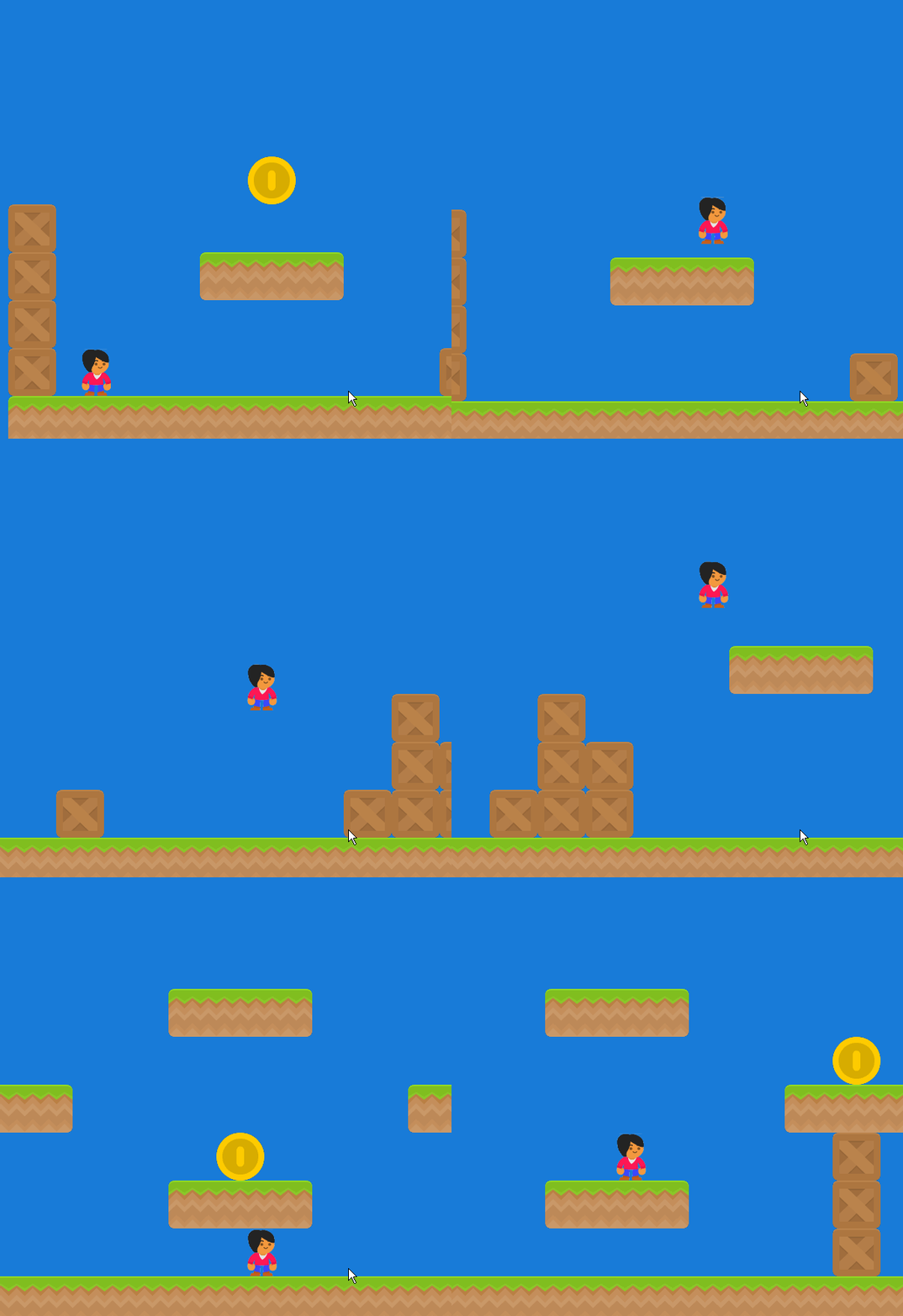
本程序加载一个tmx地图。
tmx地图文件是一个xml文件,记录了地图的属性,详细地描述了地图的情况。里面主要的标签有map标签,tileset标签,layer标签和data标签。
map标签记录地图整个属性,如宽度,高度,渲染顺序,图块宽高,
tileset标签记录图块信息,主要是图块集的来源
layer标签记录图层信息,图层有id,有名字,有宽度,有高度。有些图层用来做地面或平台,有些图层上面放金币而不做为平台的一部分。
data标签记录图块的二维信息。和csv记录的信息相似。
以下是一个tmx文件示例://后面内容不是的。

<?xml version="1.0" encoding="UTF-8"?>
<map version="1.2" tiledversion="1.2.2" orientation="orthogonal" renderorder="right-down" width="20" height="7" maker="lixingqiu" tilewidth="64" tileheight="64" infinite="0" nextlayerid="3" nextobjectid="1">
 <tileset firstgid="1" source="platformPack_tilesheet.tsx"/>
 <layer id="1" name="平台" width="20" height="7">   //图层1是平台,就是角色跳来跳去的那个地面,这些地面由图块组成,下面的data就是描述它们的类型和位置的。
  <data encoding="csv">
85,85,85,85,85,85,85,85,85,85,85,85,85,85,85,85,85,85,85,85,
0,0,0,85,85,85,85,85,85,0,0,0,0,0,0,0,0,0,0,0,
0,0,85,85,85,88,0,0,0,0,0,0,0,0,0,1,1,1,0,0,
85,85,85,85,85,0,0,1,1,0,0,0,0,0,1,4,4,4,1,0,
0,0,0,0,0,0,1,4,4,1,76,0,0,1,1,4,4,4,1,1,
1,1,1,1,1,1,4,4,1,1,1,1,1,1,1,4,4,4,1,1,
4,4,4,4,4,4,4,4,4,4,4,4,4,4,4,4,4,4,4,4
</data>
 </layer>
 <layer id="2" name="coin" width="20" height="7">   //图层2是金币道具层,角色接收金币,这些金币放在哪?这里就是描述它们by lixingqiu。
  <data encoding="csv">
49,49,49,49,49,49,49,49,49,49,0,0,0,0,0,0,0,0,0,0,
0,49,49,49,49,49,49,49,49,49,0,0,0,0,0,0,0,0,0,0,
0,0,0,0,49,49,49,49,49,49,0,0,0,0,0,0,0,0,0,0,
0,0,0,0,0,0,0,0,0,0,0,0,0,0,0,0,0,0,0,0,
0,0,0,0,0,0,0,0,0,0,0,0,0,0,0,0,0,0,0,0,
0,0,0,0,0,0,0,0,0,0,0,0,0,0,0,0,0,0,0,0,
0,0,0,0,0,0,0,0,0,0,0,0,0,0,0,0,0,0,0,0
</data>
 </layer>
</map>


"""

import arcade
import os
import time

SPRITE_SCALING = 0.5

SCREEN_WIDTH = 800
SCREEN_HEIGHT = 600
SCREEN_TITLE = "Arcade街机模块中tmx地图使用方法示例"
SPRITE_PIXEL_SIZE = 128
GRID_PIXEL_SIZE = (SPRITE_PIXEL_SIZE * SPRITE_SCALING)

# 视口的左右上下
VIEWPORT_MARGIN_TOP = 60
VIEWPORT_MARGIN_BOTTOM = 60
VIEWPORT_RIGHT_MARGIN = 270
VIEWPORT_LEFT_MARGIN = 270

# 物理参数
MOVEMENT_SPEED = 5
JUMP_SPEED = 23
GRAVITY = 1.1


class MyGame(arcade.Window):
    """ Main application class. """

    def __init__(self):
        """
        Initializer
        """
        super().__init__(SCREEN_WIDTH, SCREEN_HEIGHT, SCREEN_TITLE)

        # 定义角色列表
        self.wall_list = None
        self.player_list = None
        self.coin_list = None

        # 定义玩家变量
        self.score = 0
        self.player_sprite = None

        self.physics_engine = None
        self.view_left = 0
        self.view_bottom = 0
        self.game_over = False
        self.last_time = None
        self.frame_count = 0
        self.fps_message = None

    def setup(self):
        """ Set up the game and initialize the variables. """

        # 角色列表实例化
        self.player_list = arcade.SpriteList()
        self.coin_list = arcade.SpriteList()

        # 玩家实例化
        self.player_sprite = arcade.Sprite("images/character.png", SPRITE_SCALING)

        # 玩家起始坐标
        self.player_sprite.center_x = 64
        self.player_sprite.center_y = 270
        self.player_list.append(self.player_sprite)

        platforms_layer_name = 'Platforms'   # 平台层的名称
        coins_layer_name = 'Coins'           # 金币层的名称
        map_name = "map.tmx"

        # 加载地图到内存
        my_map = arcade.read_tiled_map(map_name, SPRITE_SCALING)

        # 墙也就是平台阵列
        map_array = my_map.layers_int_data[platforms_layer_name]

        # 地图宽度
        self.end_of_map = len(map_array[0]) * GRID_PIXEL_SIZE

        # 根据地图和图层产生墙列表
        self.wall_list = arcade.generate_sprites(my_map, platforms_layer_name, SPRITE_SCALING)

        # 根据地图和图层产生金币列表
        self.coin_list = arcade.generate_sprites(my_map, coins_layer_name, SPRITE_SCALING)

        # 如果有背景颜色属性则设置背景颜色
        if my_map.backgroundcolor:
            arcade.set_background_color(my_map.backgroundcolor)

        #设定平台型的物理引擎
        self.physics_engine = arcade.PhysicsEnginePlatformer(self.player_sprite,
                                                             self.wall_list,
                                                             gravity_constant=GRAVITY)


        # 设定视口初始边界
        self.view_left = 0
        self.view_bottom = 0

        self.game_over = False

    def on_draw(self):
        """
        Render the screen.
        """

        self.frame_count += 1

        # 此命令要在所有绘画命令之前执行
        arcade.start_render()

        # 画所有的角色
        self.player_list.draw()
        self.wall_list.draw()
        self.coin_list.draw()

        if self.last_time and self.frame_count % 60 == 0:   # 约1秒显示一次fps
            fps = 1.0 / (time.time() - self.last_time) * 60
            self.fps_message = f"FPS: {fps:5.0f}"

        if self.fps_message:
            arcade.draw_text(self.fps_message, self.view_left + 10, self.view_bottom + 40, arcade.color.BLACK, 14)

        if self.frame_count % 60 == 0:
            self.last_time = time.time()

        # 在左下角写上距离
        distance = self.player_sprite.right
        output = f"Distance: {distance}"
        arcade.draw_text(output, self.view_left + 10, self.view_bottom + 20, arcade.color.BLACK, 14)

        if self.game_over:
            arcade.draw_text("Game Over", self.view_left + 200, self.view_bottom + 200, arcade.color.BLACK, 30)

    def on_key_press(self, key, modifiers):
        """
        当按键时调用此方法
        """
        if key == arcade.key.UP:
            if self.physics_engine.can_jump():
                self.player_sprite.change_y = JUMP_SPEED
        elif key == arcade.key.LEFT:
            self.player_sprite.change_x = -MOVEMENT_SPEED
        elif key == arcade.key.RIGHT:
            self.player_sprite.change_x = MOVEMENT_SPEED

    def on_key_release(self, key, modifiers):
        """
        当松开键时调用此方法
        """
        if key == arcade.key.LEFT or key == arcade.key.RIGHT:
            self.player_sprite.change_x = 0

    def update(self, delta_time):
        """ 移动角色与游戏逻辑 """

        if self.player_sprite.right >= self.end_of_map:
            self.game_over = True

        # 游戏没结束时调用物理引擎的更新方法
        if not self.game_over:
            self.physics_engine.update()

        coins_hit = arcade.check_for_collision_with_list(self.player_sprite, self.coin_list)
        for coin in coins_hit:
            coin.kill()
            self.score += 1

        # --- Manage Scrolling ---

        # Track if we need to change the view port

        changed = False

        # Scroll left
        left_bndry = self.view_left + VIEWPORT_LEFT_MARGIN
        if self.player_sprite.left < left_bndry:
            self.view_left -= left_bndry - self.player_sprite.left
            changed = True

        # Scroll right
        right_bndry = self.view_left + SCREEN_WIDTH - VIEWPORT_RIGHT_MARGIN
        if self.player_sprite.right > right_bndry:
            self.view_left += self.player_sprite.right - right_bndry
            changed = True

        # Scroll up
        top_bndry = self.view_bottom + SCREEN_HEIGHT - VIEWPORT_MARGIN_TOP
        if self.player_sprite.top > top_bndry:
            self.view_bottom += self.player_sprite.top - top_bndry
            changed = True

        # Scroll down
        bottom_bndry = self.view_bottom + VIEWPORT_MARGIN_BOTTOM
        if self.player_sprite.bottom < bottom_bndry:
            self.view_bottom -= bottom_bndry - self.player_sprite.bottom
            changed = True

        # If we need to scroll, go ahead and do it.
        if changed:
            self.view_left = int(self.view_left)
            self.view_bottom = int(self.view_bottom)
            arcade.set_viewport(self.view_left,
                                SCREEN_WIDTH + self.view_left,
                                self.view_bottom,
                                SCREEN_HEIGHT + self.view_bottom)


def main():
    window = MyGame()
    window.setup()
    arcade.run()


if __name__ == "__main__":
    main()