难不倒英语单词助记器

"""
   难不倒英语单词助记器.pyw
   简单可视化的英语单词记忆小程序。通过不断地出选择题,过滤出学生不认识的单词。
   然后可以按取消键把不认识的单词挑出来,加强记忆。
"""
import os
import xlrd                        # pip install xlrd
from sprites import *              # pip install sprites  
from playsound import playsound    # pip install playsound

filename="中学单词库.xls"
data = xlrd.open_workbook(filename) # 打开xls文件
table = data.sheets()[0]            # 打开第一张表
nrows = table.nrows                 # 获取表的行数
enhandict = {}                      # 英汉词典
hanendict = {}
wrongs = []                         # 选择错误解的英语单词
c = 0
for i in range(nrows):              # 循环逐行
    word = str(table.row_values(i)[1])
    if word.endswith("\xa0"):word = word[:-1]
    yb = table.row_values(i)[2]     # 音标
    fy = table.row_values(i)[3]     # 翻译
    enhandict[word] = (fy,yb)       # 加入到英汉词典
    hanendict[fy] = (word,yb)       # 加入到汉英词典
    c = c + 1

def process(event):
    """按键处理"""
    global inputnumber,returnkey,i
    print(event.keycode)
    if event.keycode == 13:                  # 如果输入回车键
        if inputnumber == str(i):            # 则回答正确
            playsound('star.mp3',False)
            print('回答正确')
            effect((200,200),'正确.png',400) # 显示红勾
        else:
            info = word + " , " + enhandict[word][0] + " , " + enhandict[word][1]
            wrongs.append(info)
            print('回答错误')
            playsound('ling.wav',False)
            effect((200,200),'错误.png',400) # 显示红叉
        returnkey = True
    elif event.keycode == 32 :         # 按空格键也播放当前word音
        play_mp3()
    elif event.keycode == 27:          # 按esc也显示没有做对的题目
        display_wrongs()
        
    elif event.keycode == 8:          # 如果是退格键
       inputnumber = inputnumber[:-1]
    else:
        inputnumber += event.char
    display.clear()
    display.write(inputnumber,align='center',font=ft)

def play_mp3():
    try:                              # 由于这个音标不一定有所以try 
        playsound('audio/' + word + '.mp3',False)
    except:
        pass
    
def display_wrongs():
    filename = "以下是做错的英语单词,请加强记忆.txt"
    s = '\n'.join(wrongs)
    f = open(filename,mode='w',encoding='utf-8')
    f.write(s)
    f.close()
    os.system(filename)
    
screen = Screen()                       # 新建窗口
screen.bgcolor('dodger blue')           # 背景颜色
screen.title('难不倒英语单词助记器')    # 设定标题

screen.onclick(lambda x,y:play_mp3())   # 单击播放当前单词的发音
screen.onclick(lambda x,y:display_wrongs(),3) # 单击右键查看选择错误的单词

ft = ("Arial",32,'bold')              # 字体样式
ft2 = ("楷体",18,'normal')            # 字体样式
ft3 = ("宋体",14,'normal')            # 字体样式
ft4 = ("楷体",16,'normal')            # 字体样式

helpinfo = Sprite(visible=False)
helpinfo.sety(-300)
helpinfo.write('单击左键或按空格重读,单击右键或按ESC键显示没有做正确的题目',
               align = 'center',font=ft4)

display = Sprite(visible=False)         # 显示所输入数字的
display.color('blue')
display.sety(-260)
 
tom = Sprite(visible=False)           # 显示英文词汇的
tom.sety(100)
tom.color('white')
screen.onanykey(process)              # 按任意键输入(不要和Key类一起用)
screen.listen()


以下代码省略......

下载完整源代码与素材,请

成为会员后,登陆才能继续浏览!联系微信scratch8即可办理会员。
(会员专属:能浏览所有文章,下载所有带链接的Python资源。)

发表在 python, sprites, turtle | 难不倒英语单词助记器已关闭评论

通过有道接口下载中学英语单词发音成mp3

"""
   通过有道接口下载中学英语单词发音成mp3,
   为了儿子的英语学习,制作一个较完备的英语单词助记软件。
   这个程序把发音先下载下来。
"""
import os
import xlrd
import requests

def save_audio(word,content):    
    global c
    try:
       f = open('audio/' + word + ".mp3",mode = 'wb')
       f.write(content)
       f.close()
       c = c + 1
       print(word,'的发音成功存入  ',c)
    except:
       print(word,'的发音没有存入进去')        
    
filename="中学单词库.xls"
data = xlrd.open_workbook(filename) # 打开xls文件
table = data.sheets()[0]            # 打开第一张表
nrows = table.nrows                 # 获取表的行数
enhandict = {}                      # 英汉词典

for i in range(nrows):              # 循环逐行
    word = str(table.row_values(i)[1])
    if word.endswith("\xa0"):word = word[:-1]
    yb = table.row_values(i)[2]     # 音标
    fy = table.row_values(i)[3]     # 翻译
    enhandict[word] = (fy,yb)       # 加入到英汉词典

c = 0
for word in enhandict:
    if os.path.exists('audio/' + word + ".mp3"):continue  # 已存在则不下载
    try:
        r = requests.get('http://dict.youdao.com/dictvoice?type=1&audio=' + word)
        save_audio(word,r.content)
    except:
        pass

发表在 python | 标签为 , | 通过有道接口下载中学英语单词发音成mp3已关闭评论

太极图gif制作程序_screen.save截屏命令演示


为方便演示,本作品由两个程序组成,下面是第一个程序,生成一系列帧图,然后用第二个程序合并这些png图形即可。

"""
   太极图gif制作演示程序,本程序负责生成一系列png图,主要使用了屏幕新增的save命令,它能截屏成图。
"""
from sprites import *

def draw_circle(tom,x,y,radius,degrees):
    """
       tom:精灵对象
       x,y:圆的中心点
       radius:半径
       degrees: 度数
    """
    global counter,frames
    tom.goto(x,y)
    tom.pendown()
    for _ in range(degrees*100):
        tom.fd(radius)
        tom.bk(radius)
        tom.rt(0.01)
        counter += 1
        if counter % 100 == 0 :
            screen.update()
            screen.save(f'res/{frames}.png')
            frames += 1            
    tom.penup()
    
frames = 0
counter = 0
screen = Screen()
screen.setup(300,300)
screen.bgcolor('gray')
screen.tracer(0,0)
s = Sprite(visible=False)
s.pensize(1)

以下代码省略......


下面是第二个程序,把这些图形合并成gif图形。

import imageio

def makegif(path,filename):    
   
   images = [f'res/{i}.png' for i in range(0,1440,30)]   
   以下代码省略......
    
if __name__ == "__main__":

    makegif("out","太极.gif")
    print("合成gif完毕.")

下载完整源代码与素材,请

成为会员后,登陆才能继续浏览!联系微信scratch8即可办理会员。
(会员专属:能浏览所有文章,下载所有带链接的Python资源。)

发表在 python, sprites, turtle | 太极图gif制作程序_screen.save截屏命令演示已关闭评论

自动算术出题器


"""
   自动算术出题器
   本程序会自动出加法题,按取消结束程序。
"""
from sprites import *

screen = Screen()
screen.setup(480,360)
s = Sprite()
while True:
  a = random.randint(-100,100)
  b = random.randint(-100,100)
  c = a + b
  info = str(a) + '+' + str(b) + "=?"
  s.say(info,1000,False)

以下代码省略......

下载完整源代码与素材,请

成为会员后,登陆才能继续浏览!联系微信scratch8即可办理会员。
(会员专属:能浏览所有文章,下载所有带链接的Python资源。)

发表在 python, sprites, turtle | 自动算术出题器已关闭评论

Python精灵模块保存每一帧图示例

    from sprites import * 
    screen = Screen()
    screen.setup(480,360)
    screen.delay(10)
    s = Sprite()
    s.color('red')
    s.width(5)
    s.pendown()
    c = 0
    for x in range(4):
      for d in range(20):
        screen.save('res/'+ str(c) + ".png") # 保存当前帧图
        s.fd(5)
        c += 1
      for a in range(10):        
        screen.save('res/'+ str(c) + ".png") # 保存当前帧图
        c += 1
        s.right(9)
    s.penup()
发表在 python, sprites, turtle | Python精灵模块保存每一帧图示例已关闭评论

指定圆心坐标画正多边形

"""
   指定圆心坐标画正多边形
"""
from sprites import *

screen = Screen()

n = int(screen.numinput('边数','输入边数:',minval=3,default=5))
d = screen.numinput('边长','输入边长:',minval=10,default=200)
r = (d/2) / (math.sin(math.pi/n))        # 外接圆半径

cors = []
sp = Sprite()
sp.randompos()               # 随机挑一个圆心
sp.setheading(90)            # 朝向上的方向
sp.left(180/n)               # 左转180/n度,为的是对称

for _ in range(n):           # 重复n次
    sp.fd(r)                 # 前进r
    cors.append(sp.pos())    # 记录坐标点
    sp.bk(r)                 # 倒退r
    sp.rt(360/n)             # 右转360/n
sp.goto(cors[0])             # 到第一个点
sp.pendown()                 # 落笔
for  i in range(1,n):        # 连每一根线条
    sp.goto(cors[i])
sp.goto(cors[0])             # 回到第一个点
sp.penup()


发表在 python, sprites, turtle | 指定圆心坐标画正多边形已关闭评论

信息文件与颜色对话框

"""
   询问及文件与颜色对话框
"""
from sprites import *

screen = Screen()

if  askyesno('询问','请按是或否'):
    showinfo('信息','你按了是')
else:
    showinfo('信息','你按了否')

showwarning('警告','玩火必自焚')
showerror('错误','有个bug等你清除')

ret = askquestion('提问','明天买腊肉吗?')
if ret == 'yes':
    showinfo('信息','过年当然要买腊肉')
else:
    showinfo('信息','今年肉价好贵,吃不起腊肉了')

if  askokcancel('信息','确定?'):
    showinfo('信息','按了确定')
else:
    showinfo('信息','按了取消')

ret = askyesnocancel('信息','确定、否、取消')
if ret == True:
    showinfo('信息','你按了确定')
elif ret == False:
    showinfo('信息','你按了否')
else:
    showinfo('信息','你按了取消')

if askretrycancel('重试','再试一次?'):
    showinfo('信息','你按了重试')
else:
    showinfo('信息','你按了取消')

options = {}
options['title'] = '请选择一个文件_Python sprites module'
options['filetypes'] = [ ("Python files", "*.py *.pyw", "TEXT"),
                       ("Text files", "*.txt", "TEXT"),
                       ("All files", "*")]
options['defaultextension'] = '.py' if sys.platform == 'darwin' else ''
options['initialdir'] = 'C:\\Users\Administrator'
options['initialfile'] = '风火轮编程.py'

# 打开一个文件
filename = askopenfilename(**options)
print(filename)

# 试图打开很多文件
options['title'] = '请选择很多文件_Python sprites module'
filenames = askopenfilenames(**options)
print(filenames)

options['title'] = '另存为文件_Python sprites module'
filename = asksaveasfilename(**options)
print('保存的文件名为',filename)

mulu = askdirectory(initialdir='d:')
print('所选择的文件夹为:',mulu)

color = askcolor()
print('选择的颜色为',color)
screen.mainloop()


发表在 python, sprites, turtle | 信息文件与颜色对话框已关闭评论

英语单词助记器

"""
   英语单词助记器
   这是一个简单的英语单词记忆小软件。
   可以自己设定单词库,注意词典的key和value返回来也能形成一对一映射的关系!
   程序开始时可以设定是显示英语输入翻译,还是显示汉语输入英语!
"""
from sprites import *

screen = Screen()
screen.setup(480,360)

# 以下可以自己从数据库或文件中加载词典,此处只做demo
汉英词典 ={'红色':'red','橙色':'orange','黄色':'yellow','绿色':'green'}
英汉词典 = {value:key for key,value in 汉英词典.items()}

mode = askyesno('询问','请选择模式,选择"yes"是出中文回答英文,否则相反')
词典 = 汉英词典  if mode else 英汉词典
counter = 0                    # 做题数
rights = 0                     # 正确数
word = ""
def fun(event):
  global word,returnkey,counter,rights
  print(event.keycode)
  if event.keycode == 13 :     # 如果输入回车,那么进行判断,否则继续累加
     counter += 1              # 累计出题目数量
     if word == 词典[w]:
        s.say('答对了',1)
        rights += 1            # 答对的数量                       
     else:
        s.say('错了',1)
     word= ""
     returnkey = True
     dummy2.clear()
     zql = '正确率' + str(int(100 * rights/counter)) + "%"
     dummy2.write(zql,align='center',font=('黑体',16,'normal')) 
  else:
    if event.keycode == 8:     # 如果是退格键
       word = word[:-1]
    else:
       word += event.char
  screen.title(word)
  dummy.clear()      
  dummy.write(word,align='center',font=('黑体',32,'normal'))

screen.onanykey(fun)           # 不要和Key类一起用,本方法不公开,只供专家使用
screen.listen()                # 监听键盘按键

dummy = Sprite(visible=False)
dummy.sety(-100)
dummy.color('dodger blue')
dummy2 = dummy.clone()
dummy2.sety(120)
dummy2.color('orange')

s = Sprite()
returnkey = False              # 逻辑变量用来代表回车键有没有按
while True:
   returnkey = False           # 表示回车键没有按
   w = random.choice(list(词典.keys()))
   s.say(f'请输入{w}的翻译',2000,False)
   # 等待回车键有没有按下
   while not returnkey: screen.update()
发表在 python, sprites, turtle | 英语单词助记器已关闭评论

Python最简英语单词记忆游戏

这里提供一个最简单的英语单词记忆游戏!

    from sprites import *              # 从精灵模块导入所有命令,包括了random,time等模块
    screen = Screen()
    screen.setup(480,360)

    words = {'hello':'你好','cat':'猫','dog':'狗','red':'红色'}
    s = Sprite()
    while True:
       word = random.choice(list(words.keys()))
       s.say(f'{word}是什么意思',1000,False)
       a = screen.textinput('输入框',f'{word}是什么意思?')
       if a == words[word]:
          s.say('你答对了')
       else:
          s.say('你答错了')
发表在 python, sprites, turtle | Python最简英语单词记忆游戏已关闭评论

自制tkinter输入框Inputbox类

下面的的_Inputbox类能实例化一个输入对话框。

import tkinter as TK
class _Inputbox():
    def __init__(self, text=""):
        self._root = TK.Tk()
        self.get = ""                         # 自定义属性
        sw = self._root.winfo_screenwidth()   # 获取桌面宽度
        sh = self._root.winfo_screenheight()  # 获取桌面高度
        width = 300                           # 输入框的宽度
        height = 60                           # 输入框的高度
        startx = (sw - width) / 2             # 起始x坐标(居中显示用) 
        starty = (sh - height) /2             # 起始y坐标
        #if Turtle._screen is not None:
        #   scheight = Turtle._screen.window_height()
        #   starty = starty + scheight//2 -height//2 - 20
        self._root.geometry("%dx%d%+d%+d"%(width, height, startx, starty))
        self._root.title("输入框(inputbox)")
        self.label_file_name = TK.Label(self._root, text=text)
        self.label_file_name.pack()
        self.entry = TK.Entry(self._root,width=36)
        self.entry.pack(padx=10,side=TK.LEFT)
        self.entry.focus()
        self.entry.bind("", self.getinput)       # 绑定回车键 
        self.submit = TK.Button(self._root, text='确定',command=self.getinput) # 确定按钮
        self.submit.pack(padx=10,side=TK.RIGHT)          # 放在右边
        self._root.mainloop()
 
    def getinput(self):
        self.get = self.entry.get()
        self._root.destroy()
if __name__ == "__main__":
   
    i = _Inputbox('请输入字符串:')
    print(i.get) 

发表在 python, tkinter | 自制tkinter输入框Inputbox类已关闭评论

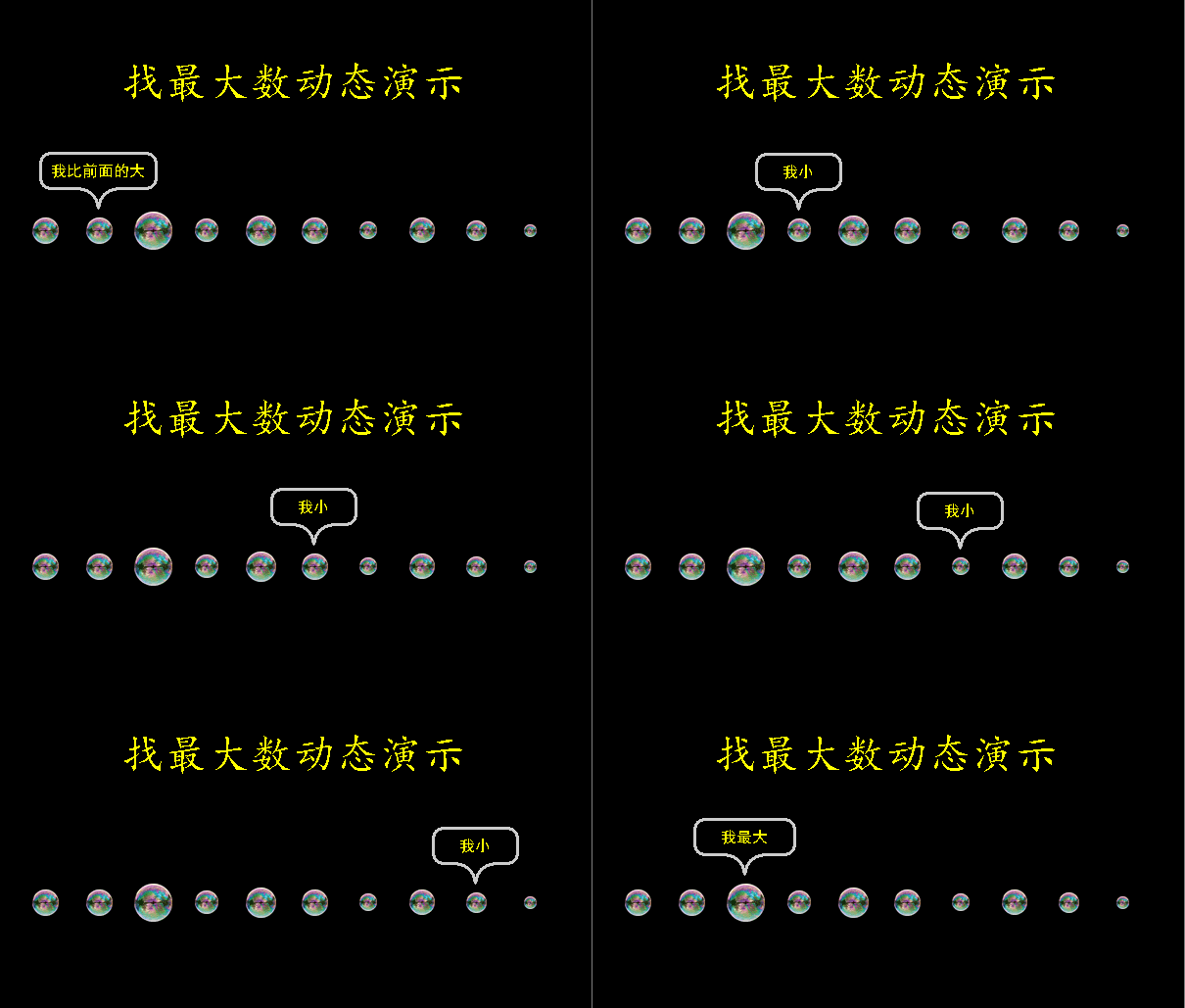
找最大数据动态演示

python maxdata animation demo找最大数据动态演示

python maxdata animation demo找最大数据动态演示

"""
   找最大数动态演示
"""
from sprites import *

width,height = 620,400
screen = Screen()
screen.bgcolor('black')
screen.setup(width,height)

dummy = Sprite(visible=False)
dummy.sety(80)
dummy.color('yellow')
dummy.write("找最大数动态演示",align='center',font=('楷体',32,'normal'))
datas = [random.randint(50,220) for x in range(10)]
scales = [data/1000 for data in datas] # 每个泡泡的缩放比例

cors = []
x = -width//2 + 55              # 起始x坐标
y = -50                         # 起始y坐标
for _ in range(10):             # 生成10个坐标
    cors.append((x,y))          # 添加到坐标表
    x = x + 55                  # x坐标增加
    
paolist = []                    # 泡泡列表
for i in range(10):
    b = Sprite('pao.png',pos=cors[i],visible=False)
    b.saycolor('yellow')
    b.scale(scales[i])          # 缩小
    b.goto(cors[i])             # 坐标定位    
    b.show()    
    paolist.append(b)

screen.delay(10)
delay = 500

以下代码省略......
     

下载完整源代码与素材,请

成为会员后,登陆才能继续浏览!联系微信scratch8即可办理会员。
(会员专属:能浏览所有文章,下载所有带链接的Python资源。)
发表在 python, sprites, turtle | 找最大数据动态演示已关闭评论

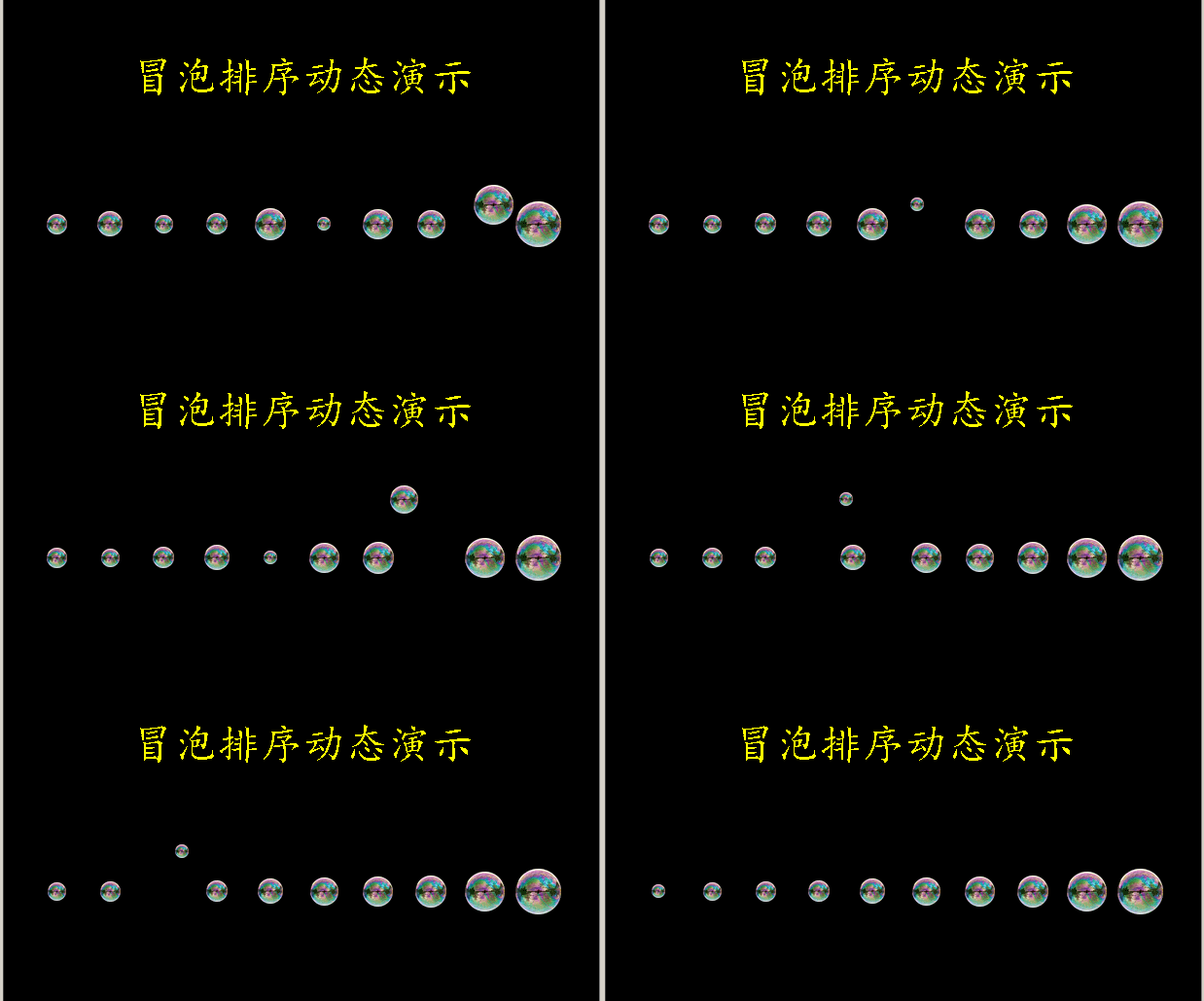
真正的冒泡排序动态演示

python bubble sort animaiton冒泡排序动态演示

python bubble sort animaiton冒泡排序动态演示

"""
   真正的冒泡排序动态演示
"""
from sprites import *

width,height = 620,400
screen = Screen()
screen.bgcolor('black')
screen.setup(width,height)

dummy = Sprite(visible=False)
dummy.sety(80)
dummy.color('yellow')
dummy.write("冒泡排序动态演示",align='center',font=('楷体',32,'normal'))
datas = [random.randint(50,220) for x in range(10)]
scales = [data/1000 for data in datas] # 每个泡泡的缩放比例

cors = []
x = -width//2 + 55              # 起始x坐标
y = -50                         # 起始y坐标
for _ in range(10):             # 生成10个坐标
    cors.append((x,y))          # 添加到坐标表
    x = x + 55                  # x坐标增加
    
paolist = []                    # 泡泡列表
for i in range(10):
    b = Sprite('pao.png',pos=cors[i],visible=False)
    b.scale(scales[i])          # 缩小
    b.goto(cors[i])             # 坐标定位    
    b.show()    
    paolist.append(b)

screen.delay(10)
delay = 500
while True:
    有交换 = False
    
以下代码省略......


下载完整源代码与素材,请

成为会员后,登陆才能继续浏览!联系微信scratch8即可办理会员。
(会员专属:能浏览所有文章,下载所有带链接的Python资源。)
发表在 python, sprites, turtle | 真正的冒泡排序动态演示已关闭评论

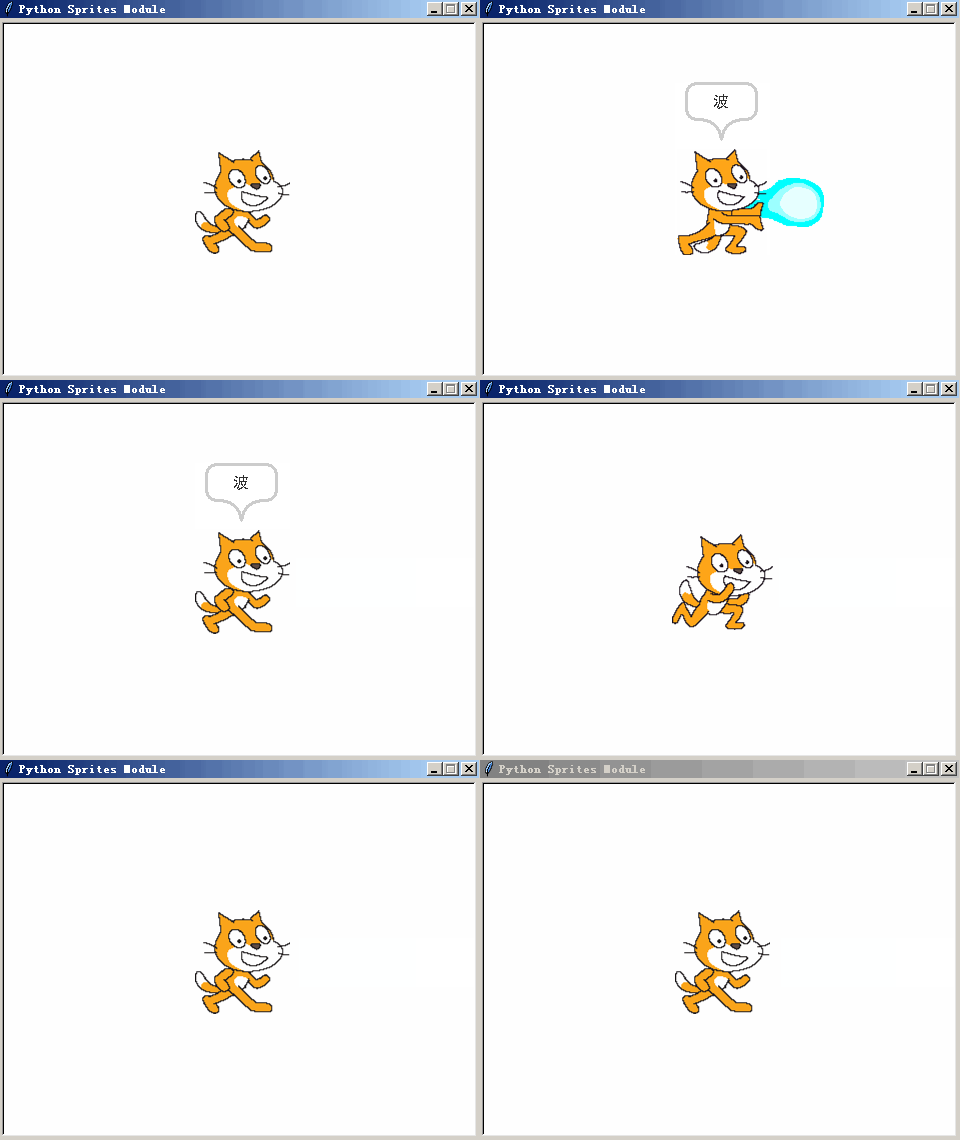
小猫功夫表演操

"""
   小猫的功夫表演操
"""
import glob
from sprites import *

def action_1():
    cat.play('swing1.wav')
    cat.shape(f['出拳'])
    cat.wait(0.3)
    cat.shape(f['走1'])

def action_2():
    cat.say('波',wait=False)
    cat.shape(f['波动拳1'])
    cat.wait(0.2)
    cat.shape(f['波动拳2'])
    cat.wait(0.2)
    cat.play('swing1.wav')
    cat.wait(0.1)
    cat.shape(f['波动拳3'])
    cat.wait(0.1)
    bo.play('swing2.wav')
    bo.goto(cat.pos())
    bo.show()
    while bo.xcor() < bo.screen.window_width()//2:
        bo.addx(5)
        bo.wait(0.01)
    bo.hide()
    cat.wait(0.3)
    cat.shape(f['走1'])       
    
def action_3():
    cat.shape(f['出拳2'])
    cat.wait(0.1)
    cat.addy(35)
    cat.addx(2)
    cat.shape(f['前1'])
    cat.play('swing1.wav')
    cat.wait(0.1)
    cat.addy(20)
    cat.addx(2)
    cat.shape(f['前2'])
    cat.wait(0.1)
    cat.addy(10)
    cat.addx(-10)
    cat.shape(f['前3'])
    cat.wait(0.3)
    cat.dy = 0
    while cat.ycor()>0:
        cat.addy(cat.dy)
        cat.dy -= 0.5
    cat.wait(0.3)
    cat.addx(6)
    cat.sety(0)
    cat.shape(f['走1'])
    
def action_4():    
     cat.play('swing1.wav')
     cat.shape(f['蹲踢'])
     cat.wait(0.1)
     cat.shape(f['蹲下'])
     cat.wait(0.3)
     cat.shape(f['走1'])
     
def action_5():    
     cat.play('swing1.wav')
     cat.shape(f['投1'])
     cat.wait(0.1)
     cat.shape(f['投2'])
     cat.wait(0.1)
     cat.shape(f['投3'])
     cat.wait(0.3)
     cat.shape(f['走1'])     
    
def action_6():    
     cat.play('swing1.wav')
     cat.shape(f['蹲拳'])
     cat.wait(0.1)
     cat.shape(f['蹲下'])
     cat.wait(0.3)
     cat.shape(f['走1'])

def action_7():    
     cat.play('swing1.wav')
     cat.shape(f['踢'])
     cat.wait(0.1)
     cat.shape(f['走1'])

def action_8():    
     cat.play('swing1.wav')
     cat.shape(f['前1'])
     cat.wait(0.1)
     cat.addy(20)
     cat.shape(f['前2'])
     cat.wait(0.1)
     cat.addy(20)
     cat.shape(f['前3'])
     cat.wait(0.1)
     cat.addy(20)
     for x in range(3):
         cat.addy(-20)     
     cat.shape(f['走1'])
     
def action_9():    
     cat.play('swing1.wav')
     cat.shape(f['下踢'])
     cat.wait(0.2)
     cat.shape(f['走1'])
     
     
frames = glob.glob('images/*.png')
f = {}
for frame in frames:
    key = frame.split('.')[0].split('\\')[-1]
    f[key] = frame

screen = Screen()
screen.setup(480,360)

bo = Sprite(shape='波.png',visible=False)
bo.scale(0.5)
cat = Sprite(shape=f['走1'])
以下代码省略......

下载完整源代码与素材,请

成为会员后,登陆才能继续浏览!联系微信scratch8即可办理会员。
(会员专属:能浏览所有文章,下载所有带链接的Python资源。)
发表在 python, sprites, turtle | 小猫功夫表演操已关闭评论

python飞行棋演示

python sprites Flight chess animaition demo 飞行棋演示

python sprites Flight chess animaition demo 飞行棋演示

"""
   飞行棋演示,用python精灵模块制作的飞行棋演示小动画。
"""
from sprites import *

cors = [(-200,-150),(-200,-100),(-200,-50),(-200,0),(-200,50),(-200,100),
        (-200,150),(-150,150),(-100,150),(-100,100),(-100,50),(-100,0),
        (-100,-50),(-100,-100),(-50,-100),(0,-100),(50,-100),(100,-100),
        (100,-50),(100,0),(100,50),(100,100),(100,150),(150,150),(200,150),
        (200,100),(200,50),(200,0),(200,-50),(200,-100),(200,-150)]

colors = makecolors()      # 产生颜色表

width,height = 480,360     # 定义宽高
screen = Screen()          # 新建屏幕
screen.bgcolor('black')    # 背景为黑
screen.setup(width,height) # 设定宽高

square = Sprite(shape='square',visible=False)
square.scale(2.4)
for c in cors:
    square.color('gray',random.choice(colors))
    square.goto(c)
    square.stamp()

# 在飞行棋上移动的小猫
cat = Sprite('res/cat1.png',visible=False)
cat.scale(0.5)
cat.goto(cors[0])
cat.index = 0
cat.show()

# 投射的色子
seimages = [f'sezi/{i}1.png' for i in range(1,7)]
sezi = Sprite(shape=seimages,visible=False)
sezi.scale(0.5)

clock = Clock()
running = True

以下代码省略......

下载完整源代码与素材,请

成为会员后,登陆才能继续浏览!联系微信scratch8即可办理会员。
(会员专属:能浏览所有文章,下载所有带链接的Python资源。)

发表在 python, sprites, turtle | python飞行棋演示已关闭评论

8字图章动画

"""
   8字图章动画.py
   这是一个简单的运用图章制作的动画。
   所盖的每个图章都会在0.5秒后自动被清除,所以有了这种效果。
"""
from sprites import *

width,height = 600,600
screen = Screen()
screen.bgcolor('white')

ball = Sprite(shape='circle',visible=False)

ball.randomcolor()      # 随机颜色
ball.goto(0,300)        # 坐标定位   
ball.show()             # 显示出来
    
clock = Clock()         # 新建时钟对象
while True:
    for x in range(12):
        ball.fd(20)
        ball.stamp(0.5) # 0.5秒后会自动清除的图章
        ball.right(15)
        clock.tick(30)
    for x in range(24):
        ball.fd(20)
        ball.stamp(0.5)
        ball.left(15)
        clock.tick(30)
    for x in range(12):
        ball.fd(20)
        ball.stamp(0.5)
        ball.right(15)
        clock.tick(30)
发表在 python, sprites, turtle | 8字图章动画已关闭评论

简单烟花效果.py python firework demo

python firework animation demo

python firework animation demo

"""
   烟花效果.py
   本程序会有一个彩色的小点从下往上升起,然后爆炸
   粒子效果是用图章实现的,注意精灵对象图章列表名字叫做:stampItems。
   程序中新建了一个字典,它以图章的编号为键,以图章的dx和dy为值存储数据。
   每个图章都受到重力的影响,它们的加速度都是-0.5。
   本程序需要求sprites模块支持。
"""
from sprites import *

width,height = 600,600
screen = Screen()
screen.bgcolor('black')

fire = Sprite(shape='circle',visible=False)
fire.scale(0.1)               # 缩小为10%

# 盖的图章的数量
amounts = 250
clock = Clock()               # 新建时钟对象

while True:
    fire.randomcolor()         # 随机颜色
    fire.goto(0,-300)          # 坐标定位
    fire.dx = 0                # 水平速度
    fire.dy = 20               # 垂直速度
    fire.da = -0.5             # 加 速 度
    fire.show()                # 显示出来
    
    while fire.dy >= 0:        # 当在上升的时候
        fire.move(fire.dx,fire.dy)
        fire.stamp(0.2)
        fire.dy = fire.dy + fire.da    
        clock.tick(60)
    fire.hide()
    fire.wait(0.2)             # 这里一定要至少等0.2,由于上面的图章要0.2秒才删除

    # 生成一定数量的图章
    [fire.stamp() for _ in range(amounts)]

    # 存储每个图章速度的字典,键是图章编号,值是dx和dy
    speeds = {}
    for x in range(amounts):
        dx = random.random()* 6 * ((random.randint(0,1) *2 ) -1)
        dy = random.random()*10 * ((random.randint(0,1) *2 ) -1)
        st = fire.stampItems[x]
        speeds[st] = [dx,dy]
        
以下代码省略......


下载完整源代码与素材,请

成为会员后,登陆才能继续浏览!联系微信scratch8即可办理会员。
(会员专属:能浏览所有文章,下载所有带链接的Python资源。)
发表在 python, sprites, turtle | 简单烟花效果.py python firework demo已关闭评论

鼠标指针幻影效果

"""
   鼠标指针幻影效果,用Python的精灵模块非常简单的现实这种跟随鼠标指针效果。
   其主要原理是就利用盖图章命令,让图章在一定时间内自动消失。

"""
from sprites import *

screen = Screen()
screen.bgcolor('black')
screen.bgpic('bg.png')

c = Sprite('circle.png')
c.setalpha(128)        # 设为半透明

clock = Clock()        # 新建时钟对象
while True:


以下代码省略......

下载完整源代码与素材,请

成为会员后,登陆才能继续浏览!联系微信scratch8即可办理会员。
(会员专属:能浏览所有文章,下载所有带链接的Python资源。)
发表在 python, sprites, turtle | 鼠标指针幻影效果已关闭评论

Python精灵模块_微重力小球多关卡演示

"""
   微重力小球闯关,本程序展示了一个基本的多关卡微重力游戏。
"""
from sprites import *         # 从精灵模块导入所有命令

width,height = 600,600        # 定义屏幕宽高
screen = Screen()             # 新建屏幕对象
#screen.bgcolor('black')       # 设定屏幕颜色
screen.setup(width,height)    # 设宽屏幕宽高

ball = Sprite(1)              # 新建小球对象
ball.dx = 0                   # 小球水平速度 
ball.dy = 0                   # 小球垂直速度
ball.saycolor('blue')         # 说话泡泡字体颜色
ball.say("请按上下左右键练习手感,\n然后一直往右。",8,False)

upkey = Key('Up')             # 实例化向上方向箭头
downkey = Key('Down')         # 实例化向下方向箭头
rightkey = Key('Right')       # 实例化向右方向箭头
leftkey = Key('Left')         # 实例化向左方向箭头  

# 定义关卡中每个方块的坐标
level1 = [(200,200),(-200,200),(0,0),(-220,-230),(220,-230)]
level2 = [(-100,0),(100,0),(0,-90),(0,90),(0,200),(0,-200),(260,0),(230,-230)]
level3 = [(-130,0),(-190,-100),(-120,120),(0,0),(150,100),(140,-130),(-100,230),(100,230),(-100,-230),(100,-230)]
levels = [level1,level2,level3]
level_index = 0
level_amounts = len(levels)   # 关卡数量

squares = Group('square')     # 新建方块组,代表障碍物
def nextlevel(cors):          
    """下一关布局"""
    for x,y in cors:
        sq = Sprite(shape='square',pos=(x,y),visible=False,tag='square')
        sq.scale(4)
        sq.randomcolor()
        sq.show()
    
screen.listen()               # 监听按键
clock = Clock()               # 时钟对象
running = True
while running:
    # 按键检测
    if upkey.down():ball.dy += 0.1     # 如果按了上方向箭头
    if downkey.down():ball.dy -= 0.1   # 如果按了下方向箭头
    if rightkey.down():ball.dx += 0.1  # 如果按了右方向箭头
    if leftkey.down():ball.dx -= 0.1   # 如果按了左方向箭头

以下代码省略......

下载完整源代码与素材,请

成为会员后,登陆才能继续浏览!联系微信scratch8即可办理会员。
(会员专属:能浏览所有文章,下载所有带链接的Python资源。)

发表在 python, sprites, turtle | Python精灵模块_微重力小球多关卡演示已关闭评论

Python精灵模块_shapeindex指定造型编号测试程序

"""
   下面的小猫有16个走路的造型,
   在这个动画中并不是通过nextcostume方法进行造型的切换,
   而是通过直接指定造型编号进行造型的切换的。
   
"""
from sprites import *                 # 从精灵模块导入所有命令 

frames = [f'cats/Walk{i:02d}.png' for i in range(16)]  # 共有16个造型

cat = Sprite(shape=frames,visible=False)  # 新建序列帧为frames的小猫
cat.scale(0.5)                        # 缩小
cat.show()                            # 显示出来
cat.shapeindex(15)                    # 指定造型编号为15

cat.saycolor('blue')                  # 说话泡泡中字的颜色 
cat.saybordercolor('orange')          # 说话泡泡边框的颜色
info = '你好,欢迎使用Python精灵模块,\n'
info = info + '使用这个模块能非常简单地制作小动画小游戏,\n'
info = info + '非常适合于小学生学习Python知识'

cat.say(info,10000,wait=False)        # 显示说话泡泡,不必等待说完
cat.wait(1)                           # 等待1秒中

while True:                           # 当成立的时候 
    for i in range(16):               # 迭代i变量16次
       cat.shapeindex(i)              # cat切换到编号为i的造型    
       cat.wait(0.1)                  # cat等待0.1秒

发表在 python, sprites, turtle | Python精灵模块_shapeindex指定造型编号测试程序已关闭评论

Python精灵模块旋转模式演示

"""
   旋转模式.py
   精灵的旋转模式有三种,0代表360度旋转,1代表左右翻转,2代表不旋转。
"""
from sprites import *

screen = Screen()
screen.setup(480,360)

s0 = Sprite(2,pos=(0,100))     # 新建小猫角色
s0.rotatemode(0)               # 设定旋转模式360度旋转
s0.setheading(45)
s0.say('我要任意360度旋转',100000,False)

s1 = Sprite(2,pos=(0,0))       # 新建小猫角色
s1.rotatemode(1)               # 设定旋转模式左右翻转
s1.setheading(46)
s1.say('左右翻转就OK了',100000,False)

s2 = Sprite(2,pos=(0,-100))     # 新建小猫角色
s2.rotatemode(2)                # 设定旋转模式不旋转
s2.setheading(85)
s2.say('我就不旋转',100000,False) 

while 1:
    s0.fd(10)
    s0.bounce_on_edge()
    
    s1.fd(10)
    s1.bounce_on_edge()
    
    s2.fd(10)
    s2.bounce_on_edge()
    time.sleep(0.1)
发表在 python, sprites, turtle | Python精灵模块旋转模式演示已关闭评论

Python精灵模块:单击抛物粒子效果

"""
   单击抛物粒子效果
"""
from sprites import *          # 从精灵模块导入所有命令

def make_colors():
    """生成一个颜色"""
    r = random.randint(0,255)
    g = random.randint(0,255)
    b = random.randint(0,255)
    return r,g,b

screen = Screen()
screen.colormode(255)

squares = [Sprite(shape='circle',visible=False) for x in range(15)]

for sq in squares:
    sq.da = -1                  # 加速度
    sq.scale(0.2)               # 缩小 
    sq.color(make_colors())     # 设定颜色

def start_fall(x,y):
    """开始下落"""
    screen.onclick(None)        # 取消单击绑定    
    [sq.goto(x,y) for sq in squares]
    for sq in squares:
        sq.dx = random.randint(-5,5)
        sq.dy = random.randint(5,10)
        sq.show()
        
    counter = 0
    clock = Clock()

以下代码省略......


下载完整源代码与素材,请

成为会员后,登陆才能继续浏览!联系微信scratch8即可办理会员。
(会员专属:能浏览所有文章,下载所有带链接的Python资源。)

发表在 python, sprites, turtle | Python精灵模块:单击抛物粒子效果已关闭评论

2020寒假的Python考试单

Python课程检测评估单正面

姓名:  

一、填空题(每空3):

1、本程序画田字,请完善它。 2、下面的程序画十字架,请完善 3、海龟要变身为一朵花,请完善
import turtle

while True:

c = 0

while c < 4:

turtle.fd(100)


______________

c = c + 1

turtle.right(90)

from turtle import *


tom = Turtle()


for x in range(4):

tom.forward(100)


__________________

tom.left(90)

from turtle import *


screen = Screen()

screen.addshape(‘花.gif’)


f = Turtle(shape=_________)


f.forward(100)


4、下列程序给列表添加10个范围为1到100的随机数,请完善 5、下面的程序打开文件并读取它到列表中,请完善。 6、下面的代码计算所输入的数据总和,请完善。
from random import randint

x = [ ]

for y in range(10):


_________________


_________________

f = open(‘file.txt’)


c =

____________

f.close()


________________

for line in c:

x.append(line)

s = 0

for x in range(10):

d = input(‘请输入数据:’)


_______________________

s = s + d

print(s)


7、下面的程序会画左边的边长为200的,角度为90度图形,请完善它。 8、下面画五角星的代码,请完善。
import turtle

turtle.pensize(2)


d= ______

for i in range(4):

turtle.seth(d)


d += ______


turtle.fd(______)

from turtle import *

def draw_star(haigui,bc):

“”” haigui:海龟

bc:边长

“””

for x in range(5):

haigui.fd(______)


haigui.rt(______)


tom = Turtle()


draw_star(______,100)


Python课程检测评估单反面

二、编程题:

1、请把下面的代码改成用while实现循环。在右边书写。(12分)
x = [ ]


for _ in range(10):

x.append(print()==None)


print(sum(x))


2、请把下面的代码改成用while实现循环,结果要是一样的。在右边书写。(12分)  


y = 0

for x in range(100):

if x % 5 == 0 : y = y + 3

if x < 50:break

print(y)


3、请把下面的程序改成用for循环实现同样效果。在右边书写。(12分)
from turtle import *

from random import randint,choice

cs = [‘red’,’orange’,’yellow’,’green’]

t = Turtle()

c = 0

while c < 1000 :

f = randint(1,360)

t.seth(f)

d = randint(1,150)

t.fd(d)

t.dot(10,choice(cs))

t.bk(d)

c = c + 1

if c > 100:break

4、编写程序,满足以下要求:(22分)


* 合理地用到字符串的split命令(4)      * 至少要定义一个函数(10)          * 画彩色的图形(8)

把编好的程序存放在D盘根目录,然后取名为自己的姓名提交给老师。

发表在 python, sprites, turtle, 杂谈 | 2020寒假的Python考试单已关闭评论

美国队长之盾画法

李兴球Python美国队长之盾

李兴球Python美国队长之盾

"""
   美国队长之盾.py
   本程序会画漫威动画里面的美国队长使用的盾牌
"""
import turtle

def draw_star(d):
    for _ in range(5):
        turtle.fd(d)
        turtle.rt(144)

turtle.dot(200,'red')
turtle.dot(170,'white')
turtle.dot(130,'red')
turtle.dot(90,'blue')

turtle.penup()
turtle.speed(0)
turtle.hideturtle()
turtle.fillcolor('white')
turtle.goto(-42,12)
turtle.begin_fill()
draw_star(83)
turtle.end_fill()
turtle.done()

发表在 python, turtle | 美国队长之盾画法已关闭评论

谷歌小恐龙跳跳游戏

"""
   谷歌小恐龙跳跳游戏.py
   按向上方向箭头操作小恐龙避开仙人掌即可
"""
from sprites import *

width,height = 480,360     # 定义宽高
screen = Screen()          # 新建屏幕
screen.bgpic('地面.png')   # 背景图片
screen.setup(width,height) # 设定宽高
screen.sety(-150)          # 图片下移  

long = Sprite('小恐龙.png',visible=False)
long.scale(0.5)            # 造型缩小
long.setx(-100)            # 设x坐标
long.dy = 0                # 垂直速度
long.da = -0.5             # 加 速 度
upkey = Key('Up')          # 实例化向上键
long.show()                # 显示角色

cactus = Sprite('仙人掌.png',pos=(480,-130))
cactus.scale(0.5)          # 变小 

screen.listen()            # 监听按键
clock = Clock()            # 建时钟对象
running = True

以下代码省略......


下载完整源代码与素材,请

成为会员后,登陆才能继续浏览!联系微信scratch8即可办理会员。
(会员专属:能浏览所有文章,下载所有带链接的Python资源。)

发表在 python, sprites, turtle | 谷歌小恐龙跳跳游戏已关闭评论

Python精灵模块_正弦与四舍五入彩点实验图

"""
   正弦与四舍五入彩点实验.py
"""
import math
from sprites import *

screen = Screen()
screen.tracer(0,0)

bug = Sprite(visible=False)

while True:
    bug.gotorandom()
    x = bug.xcor()
    y = bug.ycor()
    b1 = round(math.sin(math.radians(x)))
    b2 = round(math.sin(math.radians(y)))
    if b1 == b2:
        bug.randomcolor()
        bug.dot(10)
        bug.update()
                                         
发表在 python, sprites, turtle | Python精灵模块_正弦与四舍五入彩点实验图已关闭评论

python精灵模块_抛物线射猴子

"""
   抛物模块_射猴子.py
   按住鼠标左键,速度会一直增加,松开后发射!
"""
import math
from sprites import *

def shoot():
    global speed
    ball = Sprite(shape='circle',visible=False,tag='ball') 
    ball.goto(arrow.pos())
    angle = math.radians(ball.towards(mouse_pos()))
    ball.dx = speed * math.cos(angle)
    ball.dy = speed * math.sin(angle)
    ball_group.rebuild()
    ball.show()
    
width,height = 516,389
screen = Screen()
screen.setup(width,height)
screen.bgpic('森林.png')

monkey1 = Sprite(shape='monkey.png',tag='monkey')
monkey1.goto(-100,50)

monkey2 = Sprite(shape='monkey.png',tag='monkey')
monkey2.goto(100,100)

monkey3 = Sprite(shape='monkey.png',tag='monkey')
monkey3.goto(130,00)

arrow = Sprite(shape='pointer')
arrow.goto(-220,-150)

# 下面新建组,会自动把相应标签的对象都添加到组中
ball_group = Group('ball')    # 新建由ball标签组成的球组
monkey_group = Group("monkey")# 新建由猴子标签组成的猴组

speed = 10
mkey = Mouse()                # 实例化鼠标按键 
clock = Clock()               # 实例化时钟对象 
start_shoot_flag = False      # 开始发射的一个标志
while True:
    arrow.heading(mouse_pos())
    
    # 按下鼠标指针那么speed,即速度会一直增加
    if mkey.down() and len(ball_group)==0:
       speed = speed + 0.1
       start_shoot_flag = True
       screen.title("速度:"+str(speed))

    # 一旦松开鼠标指针,那么就会发射
    if start_shoot_flag and not mkey.down():
        shoot()
        start_shoot_flag = False
        speed = 10

    # ball_group是继承自set的组,在下面的for循环中的
    # b.remove() 命令会动态的改变它,所以把它转换成
    # 列表进行遍历。
    for b in list(ball_group):         
        b.move(b.dx,b.dy)        
        b.dy = b.dy - 1
        if b.collide_edge(): b.remove() # 从球组和总表中移除

    for m in list(monkey_group):
        if len(ball_group)==0:continue
        for ball in ball_group:
            if m.collide(ball):m.remove()
    screen.update()
    clock.tick(60)

发表在 python, sprites, turtle | python精灵模块_抛物线射猴子已关闭评论

python精灵模块_简易画板程序

"""
   简易画板.py
   本程序演示了如何取消可拖动。
   当取消了可拖动功能后,可用sprite.ondrag(sprite.drag),
   或直接执行sprite.drag(0,0)来恢得角色的可拖动功能。
   
"""
from sprites import *

red = Sprite(shape='square',pos=(-300,100))
red.color('red')
red.ondrag(None)

green = Sprite(shape='square',pos=(-300,50))
green.color('green')
green.ondrag(None)

blue = Sprite(shape='square',pos=(-300,0))
blue.color('blue')
blue.ondrag(None)

p = Sprite(visible=False)
p.color('dodger blue')

p.pensize(10)              # 画笔尺寸

m1 = Mouse(1)              # 鼠标左键
m3 = Mouse(3)              # 鼠标右键

while 1:
    x,y = mouse_pos()      # 获取鼠标指针坐标
    x = max(x,-200)
    p.goto(x,y)
    
    if m1.down():
        if x > -200 :p.down()
        if red.collide_mouse(): p.color('red')
        if green.collide_mouse(): p.color('green')
        if blue.collide_mouse():p.color('blue')
    else:
        p.up()
    if m3.down():p.clear()
    

发表在 python, sprites, turtle | python精灵模块_简易画板程序已关闭评论

雷电射击模拟_图章动态背景版

python thunder game shoot demo雷电简单模拟

python thunder game shoot demo雷电简单模拟

"""
   雷电射击模拟_图章动态背景版.py
"""

from sprites import *

width,height = 480,600
screen = Screen()
screen.tracer(0,0)
screen.bgcolor('black')
screen.setup(width,height)
screen.bgpic('封面.png')
screen.title('Python精灵模块_雷电射击模拟')

space = Key('space')                    # 实例化空格键
screen.listen()                         # 监听按键
while not space.down():screen.update()  # 等待按下空格键
screen.bgpic('nopic')                   # 设背景图为空

# 用图章来做移动的星光背景
dummy = Sprite(visible=False,shape='star') # 用于打星光的
dummy.color('white')
for x in range(20):
    dummy.randomposition()
    dummy.scale(min(0.1,random.random()))
    dummy.stamp()

player = Sprite('res/thunder.png')        # 新建飞机
player.scale(0.7)                         # 把飞机缩小点

enemis = Group(tag='enemy')               # 新建敌机组  
for _ in range(20):                       # 建20个敌机
    x = random.randint(-width//2,width//2)# x坐标
    y = random.randint(height,height*5)   # y坐标
    e = Sprite(shape='敌机3.png',pos=(x,y),tag='enemy')
    e.rotatemode(2)                       # 不旋转
    e.setheading(-90)                     # 初始方向为向下
    
[e.scale(max(0.5,random.random())) for e in enemis]

bullets = Group(tag='bullet')

framecounter = 0
clock = Clock()

以下代码省略......

下载完整源代码与素材,请

成为会员后,登陆才能继续浏览!联系微信scratch8即可办理会员。
(会员专属:能浏览所有文章,下载所有带链接的Python资源。)

发表在 python, sprites, turtle | 雷电射击模拟_图章动态背景版已关闭评论

Python精灵模块_复合造型及其图章与碰撞

"""
   复合造型及其图章与碰撞
"""
from sprites import *

width,height = 480,360
screen = Screen()
screen.setup(width,height)
screen.bgpic('res/sky.png')

def display_mouse_x_y(x,y):
    screen.title(str(x) + "," + str(y))
screen.onmousemove(display_mouse_x_y)

s = Shape("compound")                       # 新建复合类型的造型
tx = [(-10,10),(10,10),(20,-10),(-20,-10)]  # 第一个多边形
s.addcomponent(tx, "red", "blue")           # 加到造型里,填充为红边为蓝
sq = [(-10,20),(10,20),(10,10),(-10,10)]    # 第二个造型
s.addcomponent(sq,"blue",'brown')           # 填充为蓝边为棕

screen.addshape('tx',s)                     # 注册到造型字典

s = Sprite(shape='tx',visible=False)        # 角色本身是隐藏的
s.left(90)                                  # 左转90度
i = s.stamp()                               # 盖图章,编号为i

board = Sprite(shape='square')              # 新建一个矩形做为拦板
board.shapesize(0.6,5)                      # 给它变形
board.sety(-140)                            # 设置它的y坐标
dx = 1                                      # 水平速度
dy = 1                                      # 垂直速度
while True:
  board.setx(mouse_pos()[0])
  s.stampmove(i,dx,dy)                      # 水平与垂直方向移动
  if s.stampcollide(i,board,0.5):           # 如果图章i碰到board
     dy = -dy
 
  left,top,right,bottom = s.stampbbox(i)    # 获取绑定盒子
  if left <= -width//2 or right >= width//2:dx = -dx
  if bottom <= -height//2 or top >= height//2:dy = -dy
  s.wait(0.001)          


发表在 python, sprites, turtle | Python精灵模块_复合造型及其图章与碰撞已关闭评论

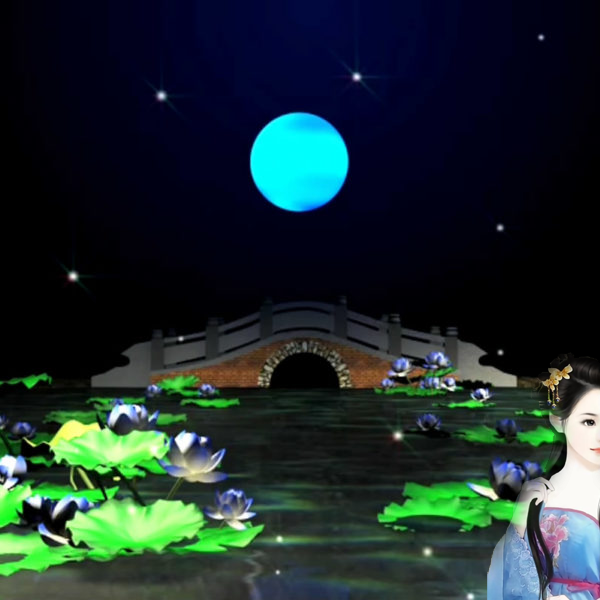
月满西楼mv

"""
   月满西楼mv.py
   本程序是一幅多媒体动画.
   
"""
__author__ = "李兴球"
__date__ = "2019年12月26日"

import time,os

from sprites import *

class Star(Sprite):
    def __init__(self,x,y):
        Sprite.__init__(self,shape='star',visible=False,pos=(x,y))
        self.cs = ['gray','white']
        self.se = [0.15,0.16]
        self.index = 0        
        self.show()
        self.flash()
        
    def flash(self):
        """闪烁"""
        self.index = 1 - self.index
        self.color(self.cs[self.index])
        self.scale(self.se[self.index])
        t = random.randint(800,1200)
        self.screen.ontimer(self.flash,t)        
        
project_name = '月满西楼'
width,height = 600,600
screen = Screen()
screen.bgcolor('dodger blue')
screen.setup(width,height) 
screen.title(project_name)
screen.bgpic('荷塘月夜-唯美浪漫.png')

cors = [(0,250),(100,230),(-100,230),(-10,20),(30,50),(150,150),
        (-200,10),(-150,150),(-100,90),(250,130),(220,220),(100,90)]
for x,y in cors:Star(x,y)

# 显示标题,在一定时间后会自动清除
w = Sprite(visible=False,shape='title0.png')
w.addy(250)
w.stamp(60)
w.shape('title1.png')
w.addy(-220)
w.stamp(60)

以下代码省略......

下载完整源代码与素材,请

成为会员后,登陆才能继续浏览!联系微信scratch8即可办理会员。
(会员专属:能浏览所有文章,下载所有带链接的Python资源。)

发表在 python, sprites, turtle | 月满西楼mv已关闭评论

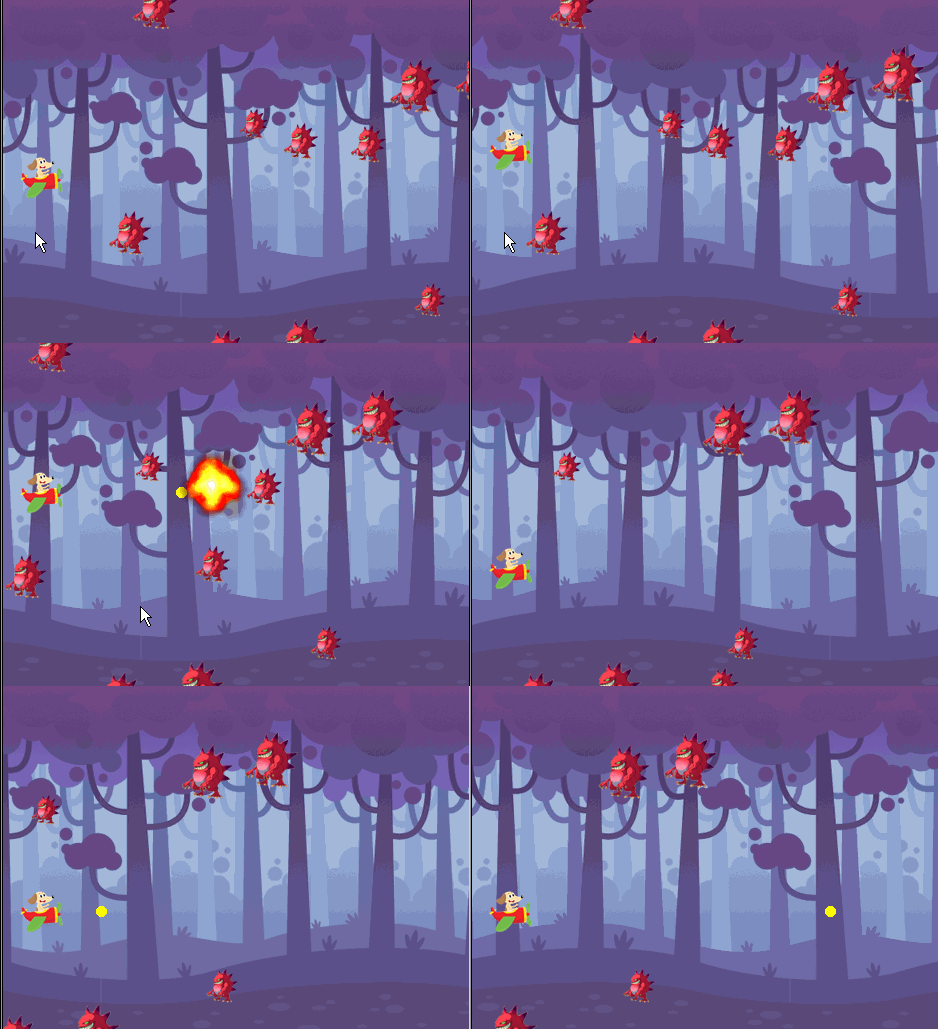
第一人称射击游戏打蝙蝠

"""
   第一人称射击.py
"""
from sprites import *
try:
    import pygame    
    pygame.mixer.init()
    fire_sound = pygame.mixer.Sound("audio/发射声.wav")
    cricket_sound = pygame.mixer.Sound('audio/cricket.wav')
except:
    import sys
    input("本程序需要pygame混音器支持以便配音,请先在cmd下用pip install pygame安装此模块。")
    
width,height = 480,360
screen = Screen()
screen.bgpic('res/ghosthouse.jpg')
screen.setup(width,height)

batimages = ['res/bat1.png','res/bat2.png']
batindex = 0
bat = Sprite(visible=False,pos=(-50-width//2,100))
bat.dx = 3
bat.dy = 0
bat.alive = True
bat.show()

def bat_alt_costume():
    global batindex
    batindex = 1 - batindex
    bat.shape(batimages[batindex])
    screen.ontimer(bat_alt_costume,90)
bat_alt_costume()    

hole = Sprite(shape='res/Bullet_Hole.png',visible=False)

m1 = Mouse(1)           # 鼠标左键
m3 = Mouse(3)           # 鼠标右键
clock = Clock()         # 时钟对象 
start_stamp = False

以下代码省略......


下载完整源代码与素材,请

成为会员后,登陆才能继续浏览!联系微信scratch8即可办理会员。
(会员专属:能浏览所有文章,下载所有带链接的Python资源。)

发表在 python, sprites, turtle | 第一人称射击游戏打蝙蝠已关闭评论

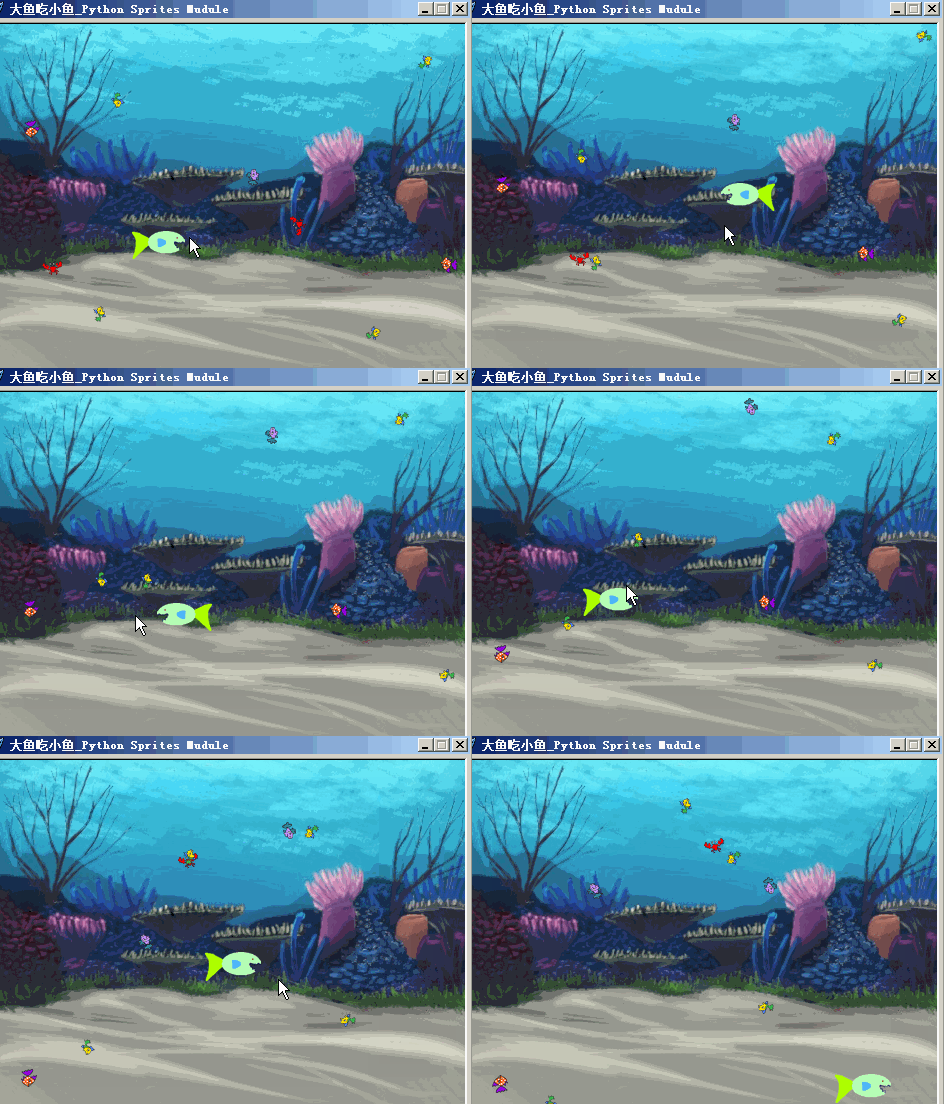
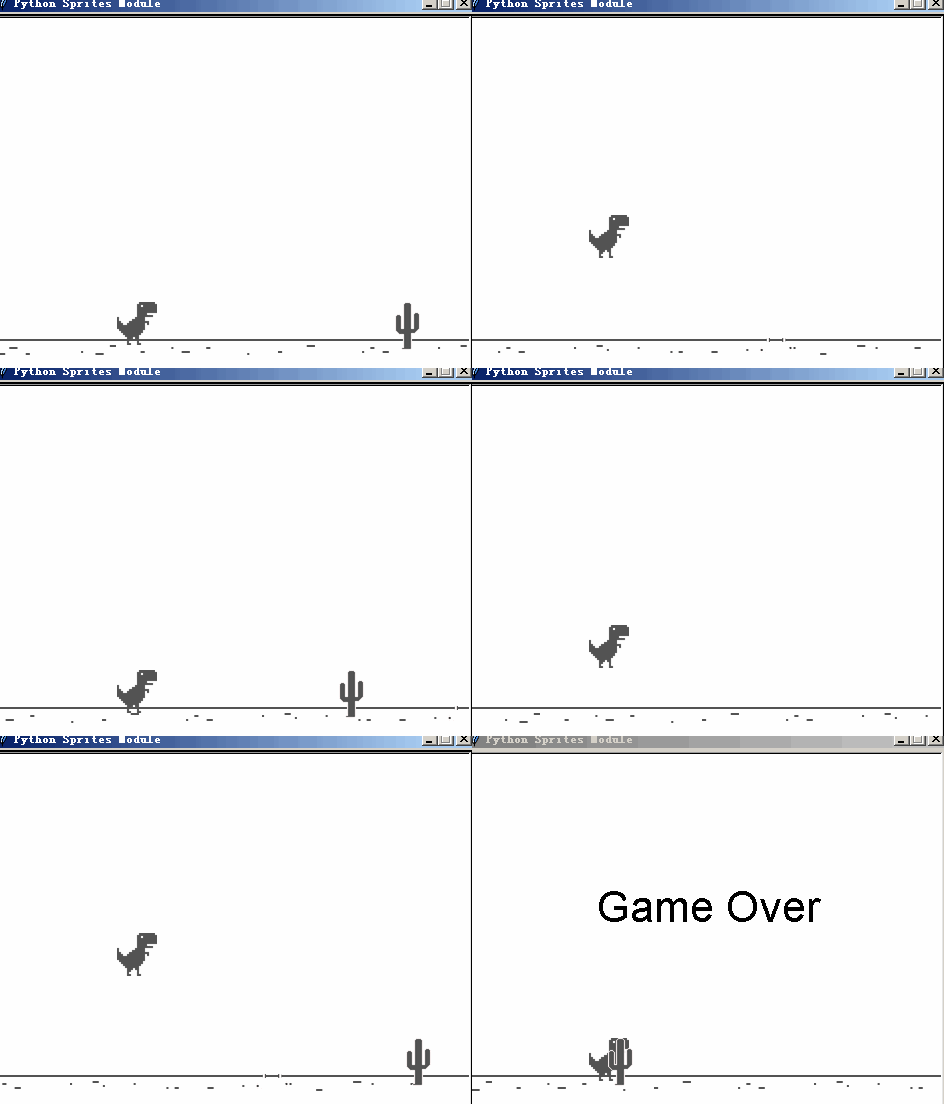
Python精灵模块制作的大鱼吃小鱼游戏

"""
   大鱼吃小鱼.py
   注意程序的mouth对象,它并不是"隐藏"的,虽然它看不见。
   小鱼碰到mouth会被“吃掉”。如果把mouth用hide命令设为隐藏,那么是无法获取到mouth的绑定盒,从而碰撞检测失效。
   
"""
from sprites import *

def calculate_pos(obj):
    """obj:精灵对象。这个函数计算矩形下右角的一个坐标并返回它。

    """    
    x,y = obj.position()              # 角色的坐标
    mx,my = mouse_position()          # 鼠标指针的坐标
    k = 1 if mx > x else -1           # 在右则为1,否则为-1
    left,top,right,bottom = obj.bbox()# 获取绑定盒
    w = right-left                    # 大鱼的宽度
    h = top - bottom                  # 大鱼的高度
    x0 = x + k * w//2.5               # 嘴巴大概的x坐标
    y0 = y - h//12                    # 嘴巴大概的y坐标
    return x0,y0
    
width,height = 480,360                
screen = Screen()                     # 新建宽高
screen.setup(width,height)            # 设置宽高 
screen.bgpic('res/underwater.png')    # 设背景图
screen.title("大鱼吃小鱼_Python Sprites Mudule")

fish_group = Group(tag='fish')        # 新建组,标签为fish
fishes = ['res/fish1.png','res/fish2.png','res/fish3.png','res/crab-b.png']
# 由于下面的鱼的标签都是fish,所以会自动加入到fish_group中
for x in range(10):
     x = random.randint(-200,200)
     y = random.randint(-140,140)
     f = Sprite(shape=random.choice(fishes),tag='fish',pos=(x,y))
     f.scale(0.5)
[fish.setheading(random.randint(1,360)) for fish in fish_group]
 
m1 = Mouse(1)                        # 鼠标左键
fish = Sprite('res/fish1-a.png')     # 实例化大鱼
fish.rotatemode(1)                   # 左右翻转 
fishscale= 0.6
fish.scale(fishscale)
mouth = Sprite(shape='circle')       # 实例化嘴巴,用于碰撞检测
mouthscale = 0.4
mouth.scale(mouthscale)              # 缩放嘴巴大小
mouth.setalpha(0)                    # 把它设为透明,改为非0它会显示出来
clock = Clock()                      # 新建时钟对象


以下代码省略......

下载完整源代码与素材,请

成为会员后,登陆才能继续浏览!联系微信scratch8即可办理会员。
(会员专属:能浏览所有文章,下载所有带链接的Python资源。)
发表在 python, sprites, turtle | Python精灵模块制作的大鱼吃小鱼游戏已关闭评论

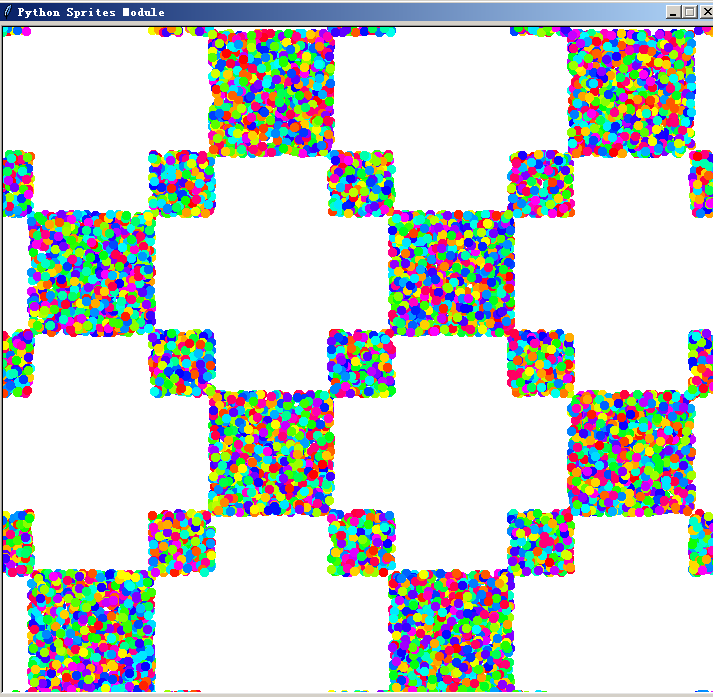
推箱子小游戏2个版本

本程序演示一个推箱子小游戏的原形。

"""
   推箱子游戏1.py
"""
from sprites import *

def moveobject(obj):
    """周边没有墙则移动对象"""
    x,y = obj.pos()
    x = x + bug.dx
    y = y + bug.dy
    for wall in wall_group:
        if wall.distance(x,y)<1:
            return
    obj.move(bug.dx,bug.dy)
    return True
   
def existbox(x,y):    
    for box in box_group:
        if box.distance(x,y)<1:
            return box
        
def existotherbox(self,x,y):
    """查找x,y坐标是否有箱子"""
    for other in box_group:
        if self == other:continue
        if other.distance(x,y)<1:
            return other
screen = Screen()

bug = Sprite()

box_group = Group(tag='box')
square1 = Sprite('res/blue_square.png',pos=(100,0),tag='box')
square2 = Sprite('res/blue_square.png',pos=(100,100),tag='box')
square3 = Sprite('res/blue_square.png',pos=(-100,0),tag='box')

wall_group = Group(tag='wall')
wall1 = Sprite('res/brown_square.png',pos=(100,150),tag='wall')
wall2 = Sprite('res/brown_square.png',pos=(-100,100),tag='wall')
wall3 = Sprite('res/brown_square.png',pos=(-150,100),tag='wall')

def movethebug():    
    x = bug.xcor() + bug.dx
    y = bug.ycor() + bug.dy
    box = existbox(x,y)      # 检测在周边是否有箱子
    if box:
        print(box)
        x1 = box.xcor() + bug.dx
        y1 = box.ycor() + bug.dy     # 下面检测此箱子周边是否还有箱子
        other = existotherbox(box,x1,y1)
        if other == None:    # 如果没有,并没有墙的阻挡则向周边移动箱子
            moved = moveobject(box)
            if moved:bug.move(bug.dx,bug.dy)
    else:        
        moveobject(bug)         

screen.listen()
keyup = Key('Up')
keydown = Key('Down')
keyleft = Key('Left')
keyright = Key('Right')

clock = Clock()

以下代码省略......
    

下载完整源代码与素材 。此压缩包有两个版本的推箱子游戏!

成为会员后,登陆才能继续浏览!联系微信scratch8即可办理会员。
(会员专属:能浏览所有文章,下载所有带链接的Python资源。)
发表在 python, sprites, turtle | 推箱子小游戏2个版本已关闭评论

功夫熊猫动画

本程序演示精灵模块非常简单的制作动画。

"""
   功夫熊猫.py
"""

from sprites import *   # 从精灵模块导入所有命令

frames = ['frames/' + str(i) + ".png" for i in range(27)]  # 拆帧后的图形
xiongmao = Sprite(shape=frames) 

while True:
    xiongmao.nextcostume()
    time.sleep(0.1)

发表在 python, sprites, turtle | 功夫熊猫动画已关闭评论

海龟画图按键表

海龟画图的按键表就是tkinter的按键盘,即键盘按键后事件的keysyms符号。
以下是这个表,第一列是符号名,第二列是10进制码,第三列是16进制。当然,也同样适用于精灵模块。

space                               32     0x0020
exclam                              33     0x0021
quotedbl                            34     0x0022
numbersign                          35     0x0023
dollar                              36     0x0024
percent                             37     0x0025
ampersand                           38     0x0026
quoteright                          39     0x0027
parenleft                           40     0x0028
parenright                          41     0x0029
asterisk                            42     0x002a
plus                                43     0x002b
comma                               44     0x002c
minus                               45     0x002d
period                              46     0x002e
slash                               47     0x002f
0                                   48     0x0030
1                                   49     0x0031
2                                   50     0x0032
3                                   51     0x0033
4                                   52     0x0034
5                                   53     0x0035
6                                   54     0x0036
7                                   55     0x0037
8                                   56     0x0038
9                                   57     0x0039
colon                               58     0x003a
semicolon                           59     0x003b
less                                60     0x003c
equal                               61     0x003d
greater                             62     0x003e
question                            63     0x003f
at                                  64     0x0040
A                                   65     0x0041
B                                   66     0x0042
C                                   67     0x0043
D                                   68     0x0044
E                                   69     0x0045
F                                   70     0x0046
G                                   71     0x0047
H                                   72     0x0048
I                                   73     0x0049
J                                   74     0x004a
K                                   75     0x004b
L                                   76     0x004c
M                                   77     0x004d
N                                   78     0x004e
O                                   79     0x004f
P                                   80     0x0050
Q                                   81     0x0051
R                                   82     0x0052
S                                   83     0x0053
T                                   84     0x0054
U                                   85     0x0055
V                                   86     0x0056
W                                   87     0x0057
X                                   88     0x0058
Y                                   89     0x0059
Z                                   90     0x005a
bracketleft                         91     0x005b
backslash                           92     0x005c
bracketright                        93     0x005d
asciicircum                         94     0x005e
underscore                          95     0x005f
quoteleft                           96     0x0060
a                                   97     0x0061
b                                   98     0x0062
c                                   99     0x0063
d                                  100     0x0064
e                                  101     0x0065
f                                  102     0x0066
g                                  103     0x0067
h                                  104     0x0068
i                                  105     0x0069
j                                  106     0x006a
k                                  107     0x006b
l                                  108     0x006c
m                                  109     0x006d
n                                  110     0x006e
o                                  111     0x006f
p                                  112     0x0070
q                                  113     0x0071
r                                  114     0x0072
s                                  115     0x0073
t                                  116     0x0074
u                                  117     0x0075
v                                  118     0x0076
w                                  119     0x0077
x                                  120     0x0078
y                                  121     0x0079
z                                  122     0x007a
braceleft                          123     0x007b
bar                                124     0x007c
braceright                         125     0x007d
asciitilde                         126     0x007e
nobreakspace                       160     0x00a0
exclamdown                         161     0x00a1
cent                               162     0x00a2
sterling                           163     0x00a3
currency                           164     0x00a4
yen                                165     0x00a5
brokenbar                          166     0x00a6
section                            167     0x00a7
diaeresis                          168     0x00a8
copyright                          169     0x00a9
ordfeminine                        170     0x00aa
guillemotleft                      171     0x00ab
notsign                            172     0x00ac
hyphen                             173     0x00ad
registered                         174     0x00ae
macron                             175     0x00af
degree                             176     0x00b0
plusminus                          177     0x00b1
twosuperior                        178     0x00b2
threesuperior                      179     0x00b3
acute                              180     0x00b4
mu                                 181     0x00b5
paragraph                          182     0x00b6
periodcentered                     183     0x00b7
cedilla                            184     0x00b8
onesuperior                        185     0x00b9
masculine                          186     0x00ba
guillemotright                     187     0x00bb
onequarter                         188     0x00bc
onehalf                            189     0x00bd
threequarters                      190     0x00be
questiondown                       191     0x00bf
Agrave                             192     0x00c0
Aacute                             193     0x00c1
Acircumflex                        194     0x00c2
Atilde                             195     0x00c3
Adiaeresis                         196     0x00c4
Aring                              197     0x00c5
AE                                 198     0x00c6
Ccedilla                           199     0x00c7
Egrave                             200     0x00c8
Eacute                             201     0x00c9
Ecircumflex                        202     0x00ca
Ediaeresis                         203     0x00cb
Igrave                             204     0x00cc
Iacute                             205     0x00cd
Icircumflex                        206     0x00ce
Idiaeresis                         207     0x00cf
Eth                                208     0x00d0
Ntilde                             209     0x00d1
Ograve                             210     0x00d2
Oacute                             211     0x00d3
Ocircumflex                        212     0x00d4
Otilde                             213     0x00d5
Odiaeresis                         214     0x00d6
multiply                           215     0x00d7
Ooblique                           216     0x00d8
Ugrave                             217     0x00d9
Uacute                             218     0x00da
Ucircumflex                        219     0x00db
Udiaeresis                         220     0x00dc
Yacute                             221     0x00dd
Thorn                              222     0x00de
ssharp                             223     0x00df
agrave                             224     0x00e0
aacute                             225     0x00e1
acircumflex                        226     0x00e2
atilde                             227     0x00e3
adiaeresis                         228     0x00e4
aring                              229     0x00e5
ae                                 230     0x00e6
ccedilla                           231     0x00e7
egrave                             232     0x00e8
eacute                             233     0x00e9
ecircumflex                        234     0x00ea
ediaeresis                         235     0x00eb
igrave                             236     0x00ec
iacute                             237     0x00ed
icircumflex                        238     0x00ee
idiaeresis                         239     0x00ef
eth                                240     0x00f0
ntilde                             241     0x00f1
ograve                             242     0x00f2
oacute                             243     0x00f3
ocircumflex                        244     0x00f4
otilde                             245     0x00f5
odiaeresis                         246     0x00f6
division                           247     0x00f7
oslash                             248     0x00f8
ugrave                             249     0x00f9
uacute                             250     0x00fa
ucircumflex                        251     0x00fb
udiaeresis                         252     0x00fc
yacute                             253     0x00fd
thorn                              254     0x00fe
ydiaeresis                         255     0x00ff
Aogonek                            417     0x01a1
breve                              418     0x01a2
Lstroke                            419     0x01a3
Lcaron                             421     0x01a5
Sacute                             422     0x01a6
Scaron                             425     0x01a9
Scedilla                           426     0x01aa
Tcaron                             427     0x01ab
Zacute                             428     0x01ac
Zcaron                             430     0x01ae
Zabovedot                          431     0x01af
aogonek                            433     0x01b1
ogonek                             434     0x01b2
lstroke                            435     0x01b3
lcaron                             437     0x01b5
sacute                             438     0x01b6
caron                              439     0x01b7
scaron                             441     0x01b9
scedilla                           442     0x01ba
tcaron                             443     0x01bb
zacute                             444     0x01bc
doubleacute                        445     0x01bd
zcaron                             446     0x01be
zabovedot                          447     0x01bf
Racute                             448     0x01c0
Abreve                             451     0x01c3
Cacute                             454     0x01c6
Ccaron                             456     0x01c8
Eogonek                            458     0x01ca
Ecaron                             460     0x01cc
Dcaron                             463     0x01cf
Nacute                             465     0x01d1
Ncaron                             466     0x01d2
Odoubleacute                       469     0x01d5
Rcaron                             472     0x01d8
Uring                              473     0x01d9
Udoubleacute                       475     0x01db
Tcedilla                           478     0x01de
racute                             480     0x01e0
abreve                             483     0x01e3
cacute                             486     0x01e6
ccaron                             488     0x01e8
eogonek                            490     0x01ea
ecaron                             492     0x01ec
dcaron                             495     0x01ef
nacute                             497     0x01f1
ncaron                             498     0x01f2
odoubleacute                       501     0x01f5
rcaron                             504     0x01f8
uring                              505     0x01f9
udoubleacute                       507     0x01fb
tcedilla                           510     0x01fe
abovedot                           511     0x01ff
Hstroke                            673     0x02a1
Hcircumflex                        678     0x02a6
Iabovedot                          681     0x02a9
Gbreve                             683     0x02ab
Jcircumflex                        684     0x02ac
hstroke                            689     0x02b1
hcircumflex                        694     0x02b6
idotless                           697     0x02b9
gbreve                             699     0x02bb
jcircumflex                        700     0x02bc
Cabovedot                          709     0x02c5
Ccircumflex                        710     0x02c6
Gabovedot                          725     0x02d5
Gcircumflex                        728     0x02d8
Ubreve                             733     0x02dd
Scircumflex                        734     0x02de
cabovedot                          741     0x02e5
ccircumflex                        742     0x02e6
gabovedot                          757     0x02f5
gcircumflex                        760     0x02f8
ubreve                             765     0x02fd
scircumflex                        766     0x02fe
kappa                              930     0x03a2
Rcedilla                           931     0x03a3
Itilde                             933     0x03a5
Lcedilla                           934     0x03a6
Emacron                            938     0x03aa
Gcedilla                           939     0x03ab
Tslash                             940     0x03ac
rcedilla                           947     0x03b3
itilde                             949     0x03b5
lcedilla                           950     0x03b6
emacron                            954     0x03ba
gacute                             955     0x03bb
tslash                             956     0x03bc
ENG                                957     0x03bd
eng                                959     0x03bf
Amacron                            960     0x03c0
Iogonek                            967     0x03c7
Eabovedot                          972     0x03cc
Imacron                            975     0x03cf
Ncedilla                           977     0x03d1
Omacron                            978     0x03d2
Kcedilla                           979     0x03d3
Uogonek                            985     0x03d9
Utilde                             989     0x03dd
Umacron                            990     0x03de
amacron                            992     0x03e0
iogonek                            999     0x03e7
eabovedot                         1004     0x03ec
imacron                           1007     0x03ef
ncedilla                          1009     0x03f1
omacron                           1010     0x03f2
kcedilla                          1011     0x03f3
uogonek                           1017     0x03f9
utilde                            1021     0x03fd
umacron                           1022     0x03fe
overline                          1150     0x047e
kana_fullstop                     1185     0x04a1
kana_openingbracket               1186     0x04a2
kana_closingbracket               1187     0x04a3
kana_comma                        1188     0x04a4
kana_middledot                    1189     0x04a5
kana_WO                           1190     0x04a6
kana_a                            1191     0x04a7
kana_i                            1192     0x04a8
kana_u                            1193     0x04a9
kana_e                            1194     0x04aa
kana_o                            1195     0x04ab
kana_ya                           1196     0x04ac
kana_yu                           1197     0x04ad
kana_yo                           1198     0x04ae
kana_tu                           1199     0x04af
prolongedsound                    1200     0x04b0
kana_A                            1201     0x04b1
kana_I                            1202     0x04b2
kana_U                            1203     0x04b3
kana_E                            1204     0x04b4
kana_O                            1205     0x04b5
kana_KA                           1206     0x04b6
kana_KI                           1207     0x04b7
kana_KU                           1208     0x04b8
kana_KE                           1209     0x04b9
kana_KO                           1210     0x04ba
kana_SA                           1211     0x04bb
kana_SHI                          1212     0x04bc
kana_SU                           1213     0x04bd
kana_SE                           1214     0x04be
kana_SO                           1215     0x04bf
kana_TA                           1216     0x04c0
kana_TI                           1217     0x04c1
kana_TU                           1218     0x04c2
kana_TE                           1219     0x04c3
kana_TO                           1220     0x04c4
kana_NA                           1221     0x04c5
kana_NI                           1222     0x04c6
kana_NU                           1223     0x04c7
kana_NE                           1224     0x04c8
kana_NO                           1225     0x04c9
kana_HA                           1226     0x04ca
kana_HI                           1227     0x04cb
kana_HU                           1228     0x04cc
kana_HE                           1229     0x04cd
kana_HO                           1230     0x04ce
kana_MA                           1231     0x04cf
kana_MI                           1232     0x04d0
kana_MU                           1233     0x04d1
kana_ME                           1234     0x04d2
kana_MO                           1235     0x04d3
kana_YA                           1236     0x04d4
kana_YU                           1237     0x04d5
kana_YO                           1238     0x04d6
kana_RA                           1239     0x04d7
kana_RI                           1240     0x04d8
kana_RU                           1241     0x04d9
kana_RE                           1242     0x04da
kana_RO                           1243     0x04db
kana_WA                           1244     0x04dc
kana_N                            1245     0x04dd
voicedsound                       1246     0x04de
semivoicedsound                   1247     0x04df
Arabic_comma                      1452     0x05ac
Arabic_semicolon                  1467     0x05bb
Arabic_question_mark              1471     0x05bf
Arabic_hamza                      1473     0x05c1
Arabic_maddaonalef                1474     0x05c2
Arabic_hamzaonalef                1475     0x05c3
Arabic_hamzaonwaw                 1476     0x05c4
Arabic_hamzaunderalef             1477     0x05c5
Arabic_hamzaonyeh                 1478     0x05c6
Arabic_alef                       1479     0x05c7
Arabic_beh                        1480     0x05c8
Arabic_tehmarbuta                 1481     0x05c9
Arabic_teh                        1482     0x05ca
Arabic_theh                       1483     0x05cb
Arabic_jeem                       1484     0x05cc
Arabic_hah                        1485     0x05cd
Arabic_khah                       1486     0x05ce
Arabic_dal                        1487     0x05cf
Arabic_thal                       1488     0x05d0
Arabic_ra                         1489     0x05d1
Arabic_zain                       1490     0x05d2
Arabic_seen                       1491     0x05d3
Arabic_sheen                      1492     0x05d4
Arabic_sad                        1493     0x05d5
Arabic_dad                        1494     0x05d6
Arabic_tah                        1495     0x05d7
Arabic_zah                        1496     0x05d8
Arabic_ain                        1497     0x05d9
Arabic_ghain                      1498     0x05da
Arabic_tatweel                    1504     0x05e0
Arabic_feh                        1505     0x05e1
Arabic_qaf                        1506     0x05e2
Arabic_kaf                        1507     0x05e3
Arabic_lam                        1508     0x05e4
Arabic_meem                       1509     0x05e5
Arabic_noon                       1510     0x05e6
Arabic_heh                        1511     0x05e7
Arabic_waw                        1512     0x05e8
Arabic_alefmaksura                1513     0x05e9
Arabic_yeh                        1514     0x05ea
Arabic_fathatan                   1515     0x05eb
Arabic_dammatan                   1516     0x05ec
Arabic_kasratan                   1517     0x05ed
Arabic_fatha                      1518     0x05ee
Arabic_damma                      1519     0x05ef
Arabic_kasra                      1520     0x05f0
Arabic_shadda                     1521     0x05f1
Arabic_sukun                      1522     0x05f2
Serbian_dje                       1697     0x06a1
Macedonia_gje                     1698     0x06a2
Cyrillic_io                       1699     0x06a3
Ukranian_je                       1700     0x06a4
Macedonia_dse                     1701     0x06a5
Ukranian_i                        1702     0x06a6
Ukranian_yi                       1703     0x06a7
Serbian_je                        1704     0x06a8
Serbian_lje                       1705     0x06a9
Serbian_nje                       1706     0x06aa
Serbian_tshe                      1707     0x06ab
Macedonia_kje                     1708     0x06ac
Byelorussian_shortu               1710     0x06ae
Serbian_dze                       1711     0x06af
numerosign                        1712     0x06b0
Serbian_DJE                       1713     0x06b1
Macedonia_GJE                     1714     0x06b2
Cyrillic_IO                       1715     0x06b3
Ukranian_JE                       1716     0x06b4
Macedonia_DSE                     1717     0x06b5
Ukranian_I                        1718     0x06b6
Ukranian_YI                       1719     0x06b7
Serbian_JE                        1720     0x06b8
Serbian_LJE                       1721     0x06b9
Serbian_NJE                       1722     0x06ba
Serbian_TSHE                      1723     0x06bb
Macedonia_KJE                     1724     0x06bc
Byelorussian_SHORTU               1726     0x06be
Serbian_DZE                       1727     0x06bf
Cyrillic_yu                       1728     0x06c0
Cyrillic_a                        1729     0x06c1
Cyrillic_be                       1730     0x06c2
Cyrillic_tse                      1731     0x06c3
Cyrillic_de                       1732     0x06c4
Cyrillic_ie                       1733     0x06c5
Cyrillic_ef                       1734     0x06c6
Cyrillic_ghe                      1735     0x06c7
Cyrillic_ha                       1736     0x06c8
Cyrillic_i                        1737     0x06c9
Cyrillic_shorti                   1738     0x06ca
Cyrillic_ka                       1739     0x06cb
Cyrillic_el                       1740     0x06cc
Cyrillic_em                       1741     0x06cd
Cyrillic_en                       1742     0x06ce
Cyrillic_o                        1743     0x06cf
Cyrillic_pe                       1744     0x06d0
Cyrillic_ya                       1745     0x06d1
Cyrillic_er                       1746     0x06d2
Cyrillic_es                       1747     0x06d3
Cyrillic_te                       1748     0x06d4
Cyrillic_u                        1749     0x06d5
Cyrillic_zhe                      1750     0x06d6
Cyrillic_ve                       1751     0x06d7
Cyrillic_softsign                 1752     0x06d8
Cyrillic_yeru                     1753     0x06d9
Cyrillic_ze                       1754     0x06da
Cyrillic_sha                      1755     0x06db
Cyrillic_e                        1756     0x06dc
Cyrillic_shcha                    1757     0x06dd
Cyrillic_che                      1758     0x06de
Cyrillic_hardsign                 1759     0x06df
Cyrillic_YU                       1760     0x06e0
Cyrillic_A                        1761     0x06e1
Cyrillic_BE                       1762     0x06e2
Cyrillic_TSE                      1763     0x06e3
Cyrillic_DE                       1764     0x06e4
Cyrillic_IE                       1765     0x06e5
Cyrillic_EF                       1766     0x06e6
Cyrillic_GHE                      1767     0x06e7
Cyrillic_HA                       1768     0x06e8
Cyrillic_I                        1769     0x06e9
Cyrillic_SHORTI                   1770     0x06ea
Cyrillic_KA                       1771     0x06eb
Cyrillic_EL                       1772     0x06ec
Cyrillic_EM                       1773     0x06ed
Cyrillic_EN                       1774     0x06ee
Cyrillic_O                        1775     0x06ef
Cyrillic_PE                       1776     0x06f0
Cyrillic_YA                       1777     0x06f1
Cyrillic_ER                       1778     0x06f2
Cyrillic_ES                       1779     0x06f3
Cyrillic_TE                       1780     0x06f4
Cyrillic_U                        1781     0x06f5
Cyrillic_ZHE                      1782     0x06f6
Cyrillic_VE                       1783     0x06f7
Cyrillic_SOFTSIGN                 1784     0x06f8
Cyrillic_YERU                     1785     0x06f9
Cyrillic_ZE                       1786     0x06fa
Cyrillic_SHA                      1787     0x06fb
Cyrillic_E                        1788     0x06fc
Cyrillic_SHCHA                    1789     0x06fd
Cyrillic_CHE                      1790     0x06fe
Cyrillic_HARDSIGN                 1791     0x06ff
Greek_ALPHAaccent                 1953     0x07a1
Greek_EPSILONaccent               1954     0x07a2
Greek_ETAaccent                   1955     0x07a3
Greek_IOTAaccent                  1956     0x07a4
Greek_IOTAdiaeresis               1957     0x07a5
Greek_IOTAaccentdiaeresis         1958     0x07a6
Greek_OMICRONaccent               1959     0x07a7
Greek_UPSILONaccent               1960     0x07a8
Greek_UPSILONdieresis             1961     0x07a9
Greek_UPSILONaccentdieresis       1962     0x07aa
Greek_OMEGAaccent                 1963     0x07ab
Greek_alphaaccent                 1969     0x07b1
Greek_epsilonaccent               1970     0x07b2
Greek_etaaccent                   1971     0x07b3
Greek_iotaaccent                  1972     0x07b4
Greek_iotadieresis                1973     0x07b5
Greek_iotaaccentdieresis          1974     0x07b6
Greek_omicronaccent               1975     0x07b7
Greek_upsilonaccent               1976     0x07b8
Greek_upsilondieresis             1977     0x07b9
Greek_upsilonaccentdieresis       1978     0x07ba
Greek_omegaaccent                 1979     0x07bb
Greek_ALPHA                       1985     0x07c1
Greek_BETA                        1986     0x07c2
Greek_GAMMA                       1987     0x07c3
Greek_DELTA                       1988     0x07c4
Greek_EPSILON                     1989     0x07c5
Greek_ZETA                        1990     0x07c6
Greek_ETA                         1991     0x07c7
Greek_THETA                       1992     0x07c8
Greek_IOTA                        1993     0x07c9
Greek_KAPPA                       1994     0x07ca
Greek_LAMBDA                      1995     0x07cb
Greek_MU                          1996     0x07cc
Greek_NU                          1997     0x07cd
Greek_XI                          1998     0x07ce
Greek_OMICRON                     1999     0x07cf
Greek_PI                          2000     0x07d0
Greek_RHO                         2001     0x07d1
Greek_SIGMA                       2002     0x07d2
Greek_TAU                         2004     0x07d4
Greek_UPSILON                     2005     0x07d5
Greek_PHI                         2006     0x07d6
Greek_CHI                         2007     0x07d7
Greek_PSI                         2008     0x07d8
Greek_OMEGA                       2009     0x07d9
Greek_alpha                       2017     0x07e1
Greek_beta                        2018     0x07e2
Greek_gamma                       2019     0x07e3
Greek_delta                       2020     0x07e4
Greek_epsilon                     2021     0x07e5
Greek_zeta                        2022     0x07e6
Greek_eta                         2023     0x07e7
Greek_theta                       2024     0x07e8
Greek_iota                        2025     0x07e9
Greek_kappa                       2026     0x07ea
Greek_lambda                      2027     0x07eb
Greek_mu                          2028     0x07ec
Greek_nu                          2029     0x07ed
Greek_xi                          2030     0x07ee
Greek_omicron                     2031     0x07ef
Greek_pi                          2032     0x07f0
Greek_rho                         2033     0x07f1
Greek_sigma                       2034     0x07f2
Greek_finalsmallsigma             2035     0x07f3
Greek_tau                         2036     0x07f4
Greek_upsilon                     2037     0x07f5
Greek_phi                         2038     0x07f6
Greek_chi                         2039     0x07f7
Greek_psi                         2040     0x07f8
Greek_omega                       2041     0x07f9
leftradical                       2209     0x08a1
topleftradical                    2210     0x08a2
horizconnector                    2211     0x08a3
topintegral                       2212     0x08a4
botintegral                       2213     0x08a5
vertconnector                     2214     0x08a6
topleftsqbracket                  2215     0x08a7
botleftsqbracket                  2216     0x08a8
toprightsqbracket                 2217     0x08a9
botrightsqbracket                 2218     0x08aa
topleftparens                     2219     0x08ab
botleftparens                     2220     0x08ac
toprightparens                    2221     0x08ad
botrightparens                    2222     0x08ae
leftmiddlecurlybrace              2223     0x08af
rightmiddlecurlybrace             2224     0x08b0
topleftsummation                  2225     0x08b1
botleftsummation                  2226     0x08b2
topvertsummationconnector         2227     0x08b3
botvertsummationconnector         2228     0x08b4
toprightsummation                 2229     0x08b5
botrightsummation                 2230     0x08b6
rightmiddlesummation              2231     0x08b7
lessthanequal                     2236     0x08bc
notequal                          2237     0x08bd
greaterthanequal                  2238     0x08be
integral                          2239     0x08bf
therefore                         2240     0x08c0
variation                         2241     0x08c1
infinity                          2242     0x08c2
nabla                             2245     0x08c5
approximate                       2248     0x08c8
similarequal                      2249     0x08c9
ifonlyif                          2253     0x08cd
implies                           2254     0x08ce
identical                         2255     0x08cf
radical                           2262     0x08d6
includedin                        2266     0x08da
includes                          2267     0x08db
intersection                      2268     0x08dc
union                             2269     0x08dd
logicaland                        2270     0x08de
logicalor                         2271     0x08df
partialderivative                 2287     0x08ef
function                          2294     0x08f6
leftarrow                         2299     0x08fb
uparrow                           2300     0x08fc
rightarrow                        2301     0x08fd
downarrow                         2302     0x08fe
blank                             2527     0x09df
soliddiamond                      2528     0x09e0
checkerboard                      2529     0x09e1
ht                                2530     0x09e2
ff                                2531     0x09e3
cr                                2532     0x09e4
lf                                2533     0x09e5
nl                                2536     0x09e8
vt                                2537     0x09e9
lowrightcorner                    2538     0x09ea
uprightcorner                     2539     0x09eb
upleftcorner                      2540     0x09ec
lowleftcorner                     2541     0x09ed
crossinglines                     2542     0x09ee
horizlinescan1                    2543     0x09ef
horizlinescan3                    2544     0x09f0
horizlinescan5                    2545     0x09f1
horizlinescan7                    2546     0x09f2
horizlinescan9                    2547     0x09f3
leftt                             2548     0x09f4
rightt                            2549     0x09f5
bott                              2550     0x09f6
topt                              2551     0x09f7
vertbar                           2552     0x09f8
emspace                           2721     0x0aa1
enspace                           2722     0x0aa2
em3space                          2723     0x0aa3
em4space                          2724     0x0aa4
digitspace                        2725     0x0aa5
punctspace                        2726     0x0aa6
thinspace                         2727     0x0aa7
hairspace                         2728     0x0aa8
emdash                            2729     0x0aa9
endash                            2730     0x0aaa
signifblank                       2732     0x0aac
ellipsis                          2734     0x0aae
doubbaselinedot                   2735     0x0aaf
onethird                          2736     0x0ab0
twothirds                         2737     0x0ab1
onefifth                          2738     0x0ab2
twofifths                         2739     0x0ab3
threefifths                       2740     0x0ab4
fourfifths                        2741     0x0ab5
onesixth                          2742     0x0ab6
fivesixths                        2743     0x0ab7
careof                            2744     0x0ab8
figdash                           2747     0x0abb
leftanglebracket                  2748     0x0abc
decimalpoint                      2749     0x0abd
rightanglebracket                 2750     0x0abe
marker                            2751     0x0abf
oneeighth                         2755     0x0ac3
threeeighths                      2756     0x0ac4
fiveeighths                       2757     0x0ac5
seveneighths                      2758     0x0ac6
trademark                         2761     0x0ac9
signaturemark                     2762     0x0aca
trademarkincircle                 2763     0x0acb
leftopentriangle                  2764     0x0acc
rightopentriangle                 2765     0x0acd
emopencircle                      2766     0x0ace
emopenrectangle                   2767     0x0acf
leftsinglequotemark               2768     0x0ad0
rightsinglequotemark              2769     0x0ad1
leftdoublequotemark               2770     0x0ad2
rightdoublequotemark              2771     0x0ad3
prescription                      2772     0x0ad4
minutes                           2774     0x0ad6
seconds                           2775     0x0ad7
latincross                        2777     0x0ad9
hexagram                          2778     0x0ada
filledrectbullet                  2779     0x0adb
filledlefttribullet               2780     0x0adc
filledrighttribullet              2781     0x0add
emfilledcircle                    2782     0x0ade
emfilledrect                      2783     0x0adf
enopencircbullet                  2784     0x0ae0
enopensquarebullet                2785     0x0ae1
openrectbullet                    2786     0x0ae2
opentribulletup                   2787     0x0ae3
opentribulletdown                 2788     0x0ae4
openstar                          2789     0x0ae5
enfilledcircbullet                2790     0x0ae6
enfilledsqbullet                  2791     0x0ae7
filledtribulletup                 2792     0x0ae8
filledtribulletdown               2793     0x0ae9
leftpointer                       2794     0x0aea
rightpointer                      2795     0x0aeb
club                              2796     0x0aec
diamond                           2797     0x0aed
heart                             2798     0x0aee
maltesecross                      2800     0x0af0
dagger                            2801     0x0af1
doubledagger                      2802     0x0af2
checkmark                         2803     0x0af3
ballotcross                       2804     0x0af4
musicalsharp                      2805     0x0af5
musicalflat                       2806     0x0af6
malesymbol                        2807     0x0af7
femalesymbol                      2808     0x0af8
telephone                         2809     0x0af9
telephonerecorder                 2810     0x0afa
phonographcopyright               2811     0x0afb
caret                             2812     0x0afc
singlelowquotemark                2813     0x0afd
doublelowquotemark                2814     0x0afe
cursor                            2815     0x0aff
leftcaret                         2979     0x0ba3
rightcaret                        2982     0x0ba6
downcaret                         2984     0x0ba8
upcaret                           2985     0x0ba9
overbar                           3008     0x0bc0
downtack                          3010     0x0bc2
upshoe                            3011     0x0bc3
downstile                         3012     0x0bc4
underbar                          3014     0x0bc6
jot                               3018     0x0bca
quad                              3020     0x0bcc
uptack                            3022     0x0bce
circle                            3023     0x0bcf
upstile                           3027     0x0bd3
downshoe                          3030     0x0bd6
rightshoe                         3032     0x0bd8
leftshoe                          3034     0x0bda
lefttack                          3036     0x0bdc
righttack                         3068     0x0bfc
hebrew_aleph                      3296     0x0ce0
hebrew_beth                       3297     0x0ce1
hebrew_gimmel                     3298     0x0ce2
hebrew_daleth                     3299     0x0ce3
hebrew_he                         3300     0x0ce4
hebrew_waw                        3301     0x0ce5
hebrew_zayin                      3302     0x0ce6
hebrew_het                        3303     0x0ce7
hebrew_teth                       3304     0x0ce8
hebrew_yod                        3305     0x0ce9
hebrew_finalkaph                  3306     0x0cea
hebrew_kaph                       3307     0x0ceb
hebrew_lamed                      3308     0x0cec
hebrew_finalmem                   3309     0x0ced
hebrew_mem                        3310     0x0cee
hebrew_finalnun                   3311     0x0cef
hebrew_nun                        3312     0x0cf0
hebrew_samekh                     3313     0x0cf1
hebrew_ayin                       3314     0x0cf2
hebrew_finalpe                    3315     0x0cf3
hebrew_pe                         3316     0x0cf4
hebrew_finalzadi                  3317     0x0cf5
hebrew_zadi                       3318     0x0cf6
hebrew_kuf                        3319     0x0cf7
hebrew_resh                       3320     0x0cf8
hebrew_shin                       3321     0x0cf9
hebrew_taf                        3322     0x0cfa
BackSpace                        65288     0xff08
Tab                              65289     0xff09
Linefeed                         65290     0xff0a
Clear                            65291     0xff0b
Return                           65293     0xff0d
Pause                            65299     0xff13
Scroll_Lock                      65300     0xff14
Sys_Req                          65301     0xff15
Escape                           65307     0xff1b
Multi_key                        65312     0xff20
Kanji                            65313     0xff21
Home                             65360     0xff50
Left                             65361     0xff51
Up                               65362     0xff52
Right                            65363     0xff53
Down                             65364     0xff54
Prior                            65365     0xff55
Next                             65366     0xff56
End                              65367     0xff57
Begin                            65368     0xff58
Win_L                            65371     0xff5b
Win_R                            65372     0xff5c
App                              65373     0xff5d
Select                           65376     0xff60
Print                            65377     0xff61
Execute                          65378     0xff62
Insert                           65379     0xff63
Undo                             65381     0xff65
Redo                             65382     0xff66
Menu                             65383     0xff67
Find                             65384     0xff68
Cancel                           65385     0xff69
Help                             65386     0xff6a
Break                            65387     0xff6b
Hebrew_switch                    65406     0xff7e
Num_Lock                         65407     0xff7f
KP_Space                         65408     0xff80
KP_Tab                           65417     0xff89
KP_Enter                         65421     0xff8d
KP_F1                            65425     0xff91
KP_F2                            65426     0xff92
KP_F3                            65427     0xff93
KP_F4                            65428     0xff94
KP_Multiply                      65450     0xffaa
KP_Add                           65451     0xffab
KP_Separator                     65452     0xffac
KP_Subtract                      65453     0xffad
KP_Decimal                       65454     0xffae
KP_Divide                        65455     0xffaf
KP_0                             65456     0xffb0
KP_1                             65457     0xffb1
KP_2                             65458     0xffb2
KP_3                             65459     0xffb3
KP_4                             65460     0xffb4
KP_5                             65461     0xffb5
KP_6                             65462     0xffb6
KP_7                             65463     0xffb7
KP_8                             65464     0xffb8
KP_9                             65465     0xffb9
KP_Equal                         65469     0xffbd
F1                               65470     0xffbe
F2                               65471     0xffbf
F3                               65472     0xffc0
F4                               65473     0xffc1
F5                               65474     0xffc2
F6                               65475     0xffc3
F7                               65476     0xffc4
F8                               65477     0xffc5
F9                               65478     0xffc6
F10                              65479     0xffc7
L1                               65480     0xffc8
L2                               65481     0xffc9
L3                               65482     0xffca
L4                               65483     0xffcb
L5                               65484     0xffcc
L6                               65485     0xffcd
L7                               65486     0xffce
L8                               65487     0xffcf
L9                               65488     0xffd0
L10                              65489     0xffd1
R1                               65490     0xffd2
R2                               65491     0xffd3
R3                               65492     0xffd4
R4                               65493     0xffd5
R5                               65494     0xffd6
R6                               65495     0xffd7
R7                               65496     0xffd8
R8                               65497     0xffd9
R9                               65498     0xffda
R10                              65499     0xffdb
R11                              65500     0xffdc
R12                              65501     0xffdd
F33                              65502     0xffde
R14                              65503     0xffdf
R15                              65504     0xffe0
Shift_L                          65505     0xffe1
Shift_R                          65506     0xffe2
Control_L                        65507     0xffe3
Control_R                        65508     0xffe4
Caps_Lock                        65509     0xffe5
Shift_Lock                       65510     0xffe6
Meta_L                           65511     0xffe7
Meta_R                           65512     0xffe8
Alt_L                            65513     0xffe9
Alt_R                            65514     0xffea
Super_L                          65515     0xffeb
Super_R                          65516     0xffec
Hyper_L                          65517     0xffed
Hyper_R                          65518     0xffee
Delete                           65535     0xffff
发表在 python, sprites, turtle | 海龟画图按键表已关闭评论

上海国际steam开发者论坛留恋相片

2019年12月12号本人应李梦军的邀请参加了上海国际steam开发者论坛的圆桌论坛,。有国内知名的很多做steam教育的企业参加了,如小码王,编程侠,微软,sony,火星人俱乐部、威盛等等。自己拍不了照片,我也是从别人和网上找到的这些相片,猜猜哪个我!

参展商还在布置,我先入场了:

发表在 杂谈 | 上海国际steam开发者论坛留恋相片已关闭评论

播放ktv模块

"""
   playktv.py模块,本模块提供playktv函数。
   在海龟屏幕显示歌词并播放歌曲。
"""
import time 
from turtle import *
from winsound import PlaySound,SND_ASYNC

def playktv(turtle,song_file,lrc_file,fontstyle=("",24,"normal") ):
    """在海龟屏幕显示歌词并播放歌曲
       turtle:海龟对象或其子类的实例
       song_file:歌曲文件
       lrc_file:歌词文件,诸如:[00:00.00]月满西楼
                                 [01:00.12]红藕香残 玉簟秋
       上面这样的歌词文件。
       fontstyle为三元组,表示用write写字时的字体风格。
    """

    x,y = turtle.position()            # 歌词中央坐标
    fgcolor = turtle.pencolor()        # 歌词前景色 
    bgcolor = turtle.fillcolor()       # 歌词背景色
    
    words_list=[]                      # 歌词列表
    words_index=0                      # 歌词索引

    f = open(lrc_file)                 # 打开歌词文件
    words_=f.readlines()               # 读取歌词文件
    f.close()                          # 关闭文件

    words_list=[ line.strip() for line in words_ if len(line)>1]  
    words_lines=len(words_list)    

    PlaySound(song_file, SND_ASYNC) # 异步播放音效

    def get_time_axis(index):
        """获取时间轴"""
        songtime=words_list[index]
        songtime=songtime.split("]")[0]
        songtime=songtime.split(":")
        songtimef=songtime[0][1:3]
        songtimef=int(songtimef)*60    
        songtimem=float(songtime[1])
        return int((songtimef+songtimem)*1000)
    
    words_index=0
    begin_time=time.time()
    def display_subtitle():
        """随着音乐显示歌词函数"""
        nonlocal words_index            # 歌词索引号
        nonlocal words_lines            # 歌词line数          
        current_time=time.time()
        running_time=(current_time-begin_time)*1000
        # 如果逝去的时间大于歌词文件中那个时间点就换歌词
        if running_time > get_time_axis(words_index):
            turtle.clear()
            display_words_=words_list[words_index].split("]")[1]
            turtle.goto(x,y)
            turtle.color(bgcolor)
            # 在左上一个单位印字
            turtle.write(display_words_,align='center',font=fontstyle)
            turtle.goto(x-1,y+1)
            turtle.color(fgcolor)
            turtle.write(display_words_,align='center',font=fontstyle)    
            words_index=words_index+1            
        if words_index
							
发表在 python, turtle | 播放ktv模块已关闭评论

美女与图章虚像效果_Python精灵模块


"""
   美女与图章虚像效果.py
"""

from sprites import *

width,height = 531,800
screen = Screen()
screen.setup(width,height)
screen.bgpic('姑娘和背景x.png')

g = Sprite(shape='girl.png',pos=(-22,-26))
g.setalpha(128)
s1 = g.stamp()                  # 盖图章
s2 = g.stamp()                  # 盖图章

song = Sprite(visible=False)
song.color('cyan','blue')
song.play('相思(西游记后传片毛阿敏-).wav','相思歌词.lrc')

clock = Clock()
for x in range(500):
   g.movestamp(s1,-1,1)
   g.movestamp(s2,1,1)
   screen.update()
   clock.tick(30)
  

以下代码省略......

下载完整源代码与素材,请

成为会员后,登陆才能继续浏览!联系微信scratch8即可办理会员。
(会员专属:能浏览所有文章,下载所有带链接的Python资源。)

发表在 python, sprites, turtle | 美女与图章虚像效果_Python精灵模块已关闭评论

numpy批量操作不透明像素

"""
  numpy批量操作不透明像素
  本程序是由于用pillow的putalpha设置透明度时会把所有像素的透明度一起设置,
  但这样的话,会引起图片底色变黑,这个程序主是修复这个问题的核心代码.
  
"""
import numpy as np
from PIL import Image

im = Image.open('bug2.png')
im = im.convert('RGBA')

array = np.array(im)    # 转换成阵列数组

a =  array[:,:,3:]      # 提取透明通道所有值
a = np.where(a>0,100,0) # 如果透明度大于0,则设为100,否则为0
array[:,:,3:] = a       # 把array的透明度全部改为a

print(array)

print(array.shape)

发表在 pillow, python | numpy批量操作不透明像素已关闭评论

只操作不透明像素

"""
  只操作不透明像素
"""
from PIL import Image

im = Image.open('res/bug.png')
im = im.convert('RGBA')

data = im.getdata()
print(dir(data))

newData=[]
for a in data:
    if a[3]!=0:         # 如果像素本来是不透明的,则变成半透明
        a=a[:3]         # 取RGB三像素值
        a=a+(120,)       # 增加A通道,(0,255)之间的数
        newData.append(a)
    else:
        newData.append(a) # 本来是透明的,则不改变

im.putdata(newData) 
im.save('test.png')

发表在 pillow, python | 只操作不透明像素已关闭评论

让tkinter的画布项目透明

"""让tkinter的画布项目透明,
   由于开发的需要让画布上的绘画项目呈现透明的效果,
   所以研究了一下如何让item呈现透明效果,
   经实践只要让fill为空及width为0即可
"""

from tkinter import *

root = Tk()

canvas = Canvas(root,width=800,height=600)
canvas.pack()

circle = canvas.create_oval((10,10,110,110),fill=None,width=0)

print(canvas.bbox(circle))       # 能获取到绑定盒!

root.mainloop()

发表在 python, tkinter | 让tkinter的画布项目透明已关闭评论

矩形缩放程序

Principle of linear variable rectangle scaling矩形缩放原理运行图

Principle of linear variable rectangle scaling矩形缩放原理运行图

"""
   矩形缩放程序,本程序演示了矩形缩放原理。
"""

from turtle import *

def draw_rect(left,top,right,bottom):
    """根据左上角坐标和右下角坐标画矩形"""
    width = right - left
    height = top - bottom
    t.goto(left,top)
    t.pendown()
    t.goto(left+width,top)
    t.goto(right,bottom)
    t.goto(left,top-height)
    t.goto(left,top)
    t.penup()

left,top = -20,10        # 左上角坐标
right,bottom = 20,-10    # 右下角坐标
width = right - left     # 矩形宽度
height = top - bottom    # 矩形高度
x0 = left + width/2      # 中心点x坐标
y0 = bottom + height/2   # 中心点y坐标
      
t = Turtle()
t.penup()
t.color('blue')
t.screen.delay(0)

draw_rect(left,top,right,bottom)

for scale in range(2,150):        # 缩放比例
    scale = scale / 10
    x1 = x0 - 0.5 * width * scale
    y1 = y0 + 0.5 * height * scale
    x2 = x0 + 0.5 * width * scale
    y2 = y0 - 0.5 * height * scale
    draw_rect(x1,y1,x2,y2)

发表在 python, turtle | 矩形缩放程序已关闭评论

python精灵模块_小狗射怪兽

python sprites shoot game小狗射怪兽

python sprites shoot game小狗射怪兽


这是一个射击小游戏,主要演示的如何分组,如何复用精灵等。

"""
   小狗射怪兽.py
   本程序演示如何制作滚动卷轴的背景,
   演示如何用reborn方法复用精灵,从而让游戏更加流畅。
"""

from sprites import * 

def shoot():
  """发射子弹函数"""
  b = Sprite(shape='circle',visible=False)
  b.color('yellow')
  b.goto(dog.pos())
  b.tag = 'bullet'
  b.scale(0.5)
  b.show()
  
def spawn_monster():
  """产生一个怪兽"""
  m = Sprite(shape='monster.png',visible=False)
  m.dx = -2
  m.dy = 0
  x = random.randint(480,960)
  y = random.randint(-180,180)
  m.goto(x,y)
  m.tag = 'monster'
  m.scale(max(0.5,random.random()))
  m.show()


explosionimages = ['res/explosion0.png','res/explosion1.png']
screen = Screen()               # 新建屏幕
screen.setup(480,360)           # 设定屏幕分辨率
screen.bgpic('forest.png')# 设定背景图 

dog = Sprite(shape='flydog.png')
dog.scale(0.5)
dog.setx(-200)
dog.alive = True

akey = Key('a')                  # 实例化a按键 
dkey = Key('d')                  # 实例化d按键
wkey = Key('w')                  # 实例化w按键 
skey = Key('s')                  # 实例化s按键
fkey = Key('f')                  # 实例化f按键    

[spawn_monster() for x in range(10)] # 产生10只怪兽

screen.listen()                  # 监听键盘按键
clock = Clock()                  # 新建时钟对象
frames = 0

以下代码省略......

下载完整源代码与素材,请

成为会员后,登陆才能继续浏览!联系微信scratch8即可办理会员。
(会员专属:能浏览所有文章,下载所有带链接的Python资源。)
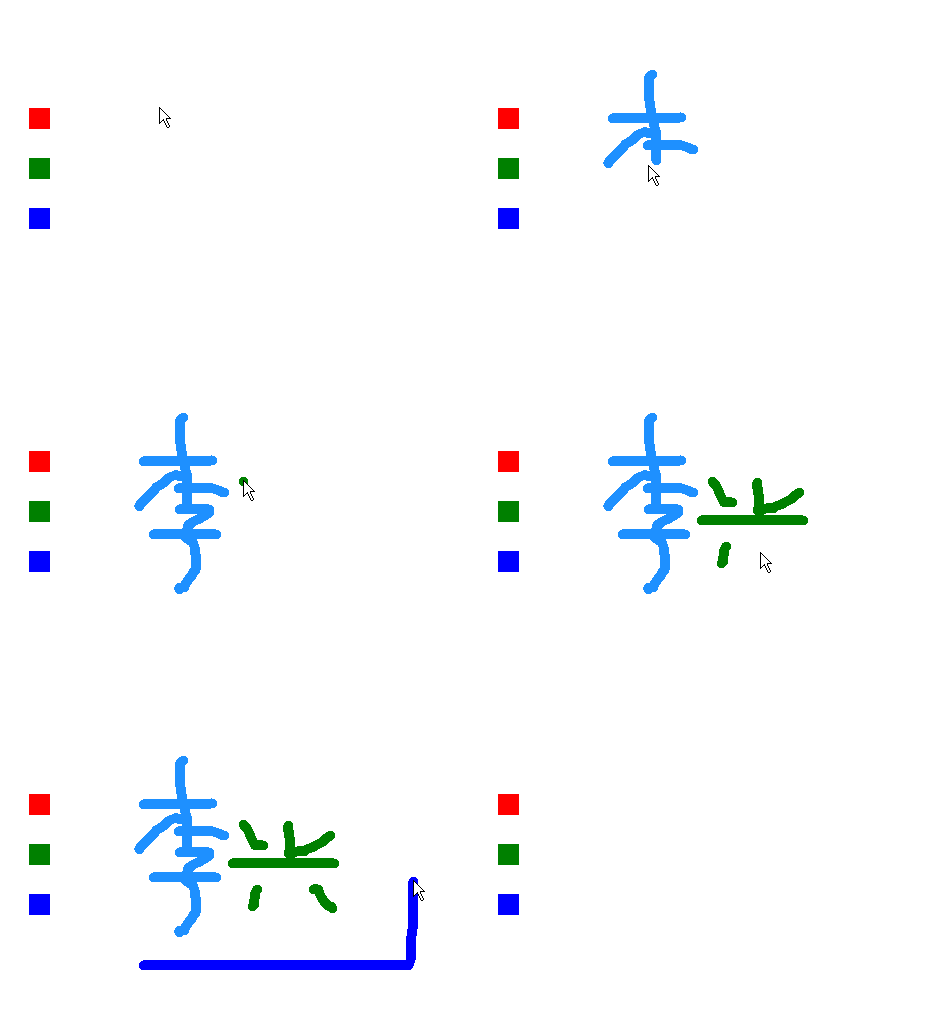
发表在 python, sprites, turtle | python精灵模块_小狗射怪兽已关闭评论

reborn重生命令演示

"""
   reborn重生命令演示.py
   reborn会隐藏对象,然后让对象在新的坐标显示出来。
   调用reborn时还能设定它的dx和dy,即水平速度和垂直速度。
"""
from sprites import *

width ,height = 480,360
screen = Screen()
screen.bgcolor('blue')
screen.setup(width,height)

bug = Sprite()
bug.dx = 1
bug.dy = 0

clock = Clock()
while 1:
    bug.move(bug.dx,bug.dy)
    if bug.xcor() > width//2:
        bug.reborn(-width//2,0,bug.dx,bug.dy)
    clock.tick(60)
发表在 python, sprites, turtle | reborn重生命令演示已关闭评论

Python精灵模块利用tag进行分组

屏幕的turtles命令能获取所有的对象。如何对它们进行分组呢?不同的对象有不同的类,是可以实现分组的,不过直接在实例化时或实例化后给它设定一个标签就更好分组了。下面的程序给cat1和cat2设定cat的标签,ufo1和ufo2设定的标签为ufo。

from sprites import *    # 从精灵模块导入所有命令

screen = Screen()        # 新建屏幕 
bug = Sprite()           # 新建默认精灵,虫子

cat1 = Sprite(2,tag='cat')
cat1.goto(100,100)

cat2 = Sprite(2,tag='cat')
cat2.goto(-100,100)

ufo1 = Sprite(10,tag='ufo')
ufo1.goto(100,-100)

ufo2 = Sprite(10,tag='ufo')
ufo2.goto(-100,-100)

while True:
    screen.title("")
    bug.goto(mouse_pos())
    r1 = bug.collide_others('cat')
    if r1 : screen.title("碰到猫")
    r2 = bug.collide_others('ufo')
    if r2 : screen.title("碰到飞碟")
    
发表在 python, sprites, turtle | Python精灵模块利用tag进行分组已关闭评论

标签分组与collide_other方法进行碰撞检测

"""
   利用标签分组与collide_others方法
   本程序运行后能用上下左右键操作虫子,碰到其它虫子时不会穿越过去。
"""

from sprites import *

screen = Screen()
screen.bgcolor('dodger blue')
screen.title('请用awsd键操作虫子')

sq = Sprite()
sq.color('red')

p1 = Sprite(5)
p1.goto(100,100)

p2 = Sprite(6)
p2.goto(-100,100)

p3 = Sprite(8)
p3.goto(-100,-100)

p4 = Sprite(9)
p4.goto(100,-100)

akey = Key('a')       # 实例化a键
dkey = Key('d')       # 实例化d键
wkey = Key('w')       # 实例化w键  
skey = Key('s')       # 实例化s键
screen.listen()
clock = Clock()

while 1:
  # 如果按了a键,则dx为-5,虫子将向左移动  
  if akey.down():dx = -5;dy=0
  elif dkey.down():dx = 5;dy=0
  elif wkey.down():dy = 5;dx=0
  elif skey.down():dy = -5;dx=0
  else:
    dx = 0;dy = 0
    
  sq.move(dx,dy)      # 在水平和垂直方向上移动虫子
  
  # 和tag标签为sprite的精灵进行碰撞检测
  collide_list = sq.collide_others('sprite')
  
  if collide_list:
    if dx != 0: sq.addx(-dx)   # 如果往左右移动
    if dy != 0: sq.addy(-dy)   # 如果往上下移动    
    
  clock.tick(60)      # 设定fps为60


发表在 python, sprites, turtle | 标签分组与collide_other方法进行碰撞检测已关闭评论

python画水滴图形

根据水滴的参数方程画水滴的源代码

"""画水滴图形"""

import math
from turtle import *

tom = Turtle(visible=False)
tom.penup()
tom.screen.delay(0)

n=1.5                      # 修改n的值能有不同胖瘦的水滴

for t in range(0,360):
    c = math.radians(t)
    x = 100 * math.cos(c)
    y = 100 * math.sin(c) *  pow(math.sin(c/2),n)
    tom.goto(y,x)
    tom.dot(5,'blue')


发表在 python, turtle | python画水滴图形已关闭评论

绕中心点旋转之五角星

"""
   绕中心点旋转之五角星
   本程序首先算出10个点的坐标,然后把这个形状注册到屏幕的形状字典
"""
import math
from turtle import *

R = 30
r = R * math.sin(math.radians(18))/math.sin(math.radians(36))
points = []

for k in range(5):
    outx =  R * math.cos(math.radians(72*k+36))
    outy =  R * math.sin(math.radians(72*k+36))
    points.append((outx,outy))
    innerx = r * math.cos(math.radians(72*k+36+36))
    innery = r * math.sin(math.radians(72*k+36+36))
    points.append((innerx,innery))

screen = Screen()
star = Shape('polygon',points)
screen.addshape('star',star)

t = Turtle()
t.shape('star')
while 1: t.right(1)
发表在 python, turtle | 绕中心点旋转之五角星已关闭评论

精灵线条与tkinter线条测试程序对比

"""以下程序实现线条的移动"""
from tkinter import *
from time import sleep

root = Tk()

w = Canvas(root,width=200, height=200, background="white")
w.pack()

line = w.create_line(50, 100, 100, 100, fill='blue')

for x in range(100):
    w.move(line,1,1)
    w.update()
    sleep(0.01)
"""以下程序也是实现线条的移动"""
from sprites import *

line = Turtle(shape='line')   # 最新版的精灵模块增加了line形状

for x in range(100):
    line.move(1,1)
    time.sleep(0.01)
发表在 python, sprites, turtle | 精灵线条与tkinter线条测试程序对比已关闭评论

精灵和图章的碰撞


本程序用鼠标操作小猫去碰撞海龟,精灵和图章,显示结果在小猫头顶上。

"""
   和图章的碰撞.py
   本程序测试和图章的碰撞,会在小猫的头上显示结果.
"""

from sprites import  * 

def printw(info,obj):
    """info:要显示的信息
       obj:对象
    """
    t.clear()
    x,y = mouse_pos()
    t.goto(x,y+50)
    t.write(info + str(obj))
    
screen = Screen()                     # 新建屏幕

t = Sprite(visible=False)

sp = Sprite()                         # 新建精灵
sp.stamp()                            # 盖图章  
sp.fd(100)                            # 前进100
sp.stamp()
sp.fd(100)

sp2 = Sprite(2)                       # 小猫精灵

tom = Turtle(shape='turtle')          # 新建海龟 
tom.shapesize(3,3)
tom.penup()
tom.goto(-100,100)

while 1:
    sp2.goto(mouse_pos())
    if sp2.collide(sp):printw('碰到精灵',sp)
    if sp2.collide(tom):printw('碰到海龟',tom)
    
    for p in sp.stampItems:  #  获取sp盖的图章们的编号
        if sp2.collide(p):printw('碰到图章:',p)

发表在 python, sprites, turtle | 精灵和图章的碰撞已关闭评论