
"""
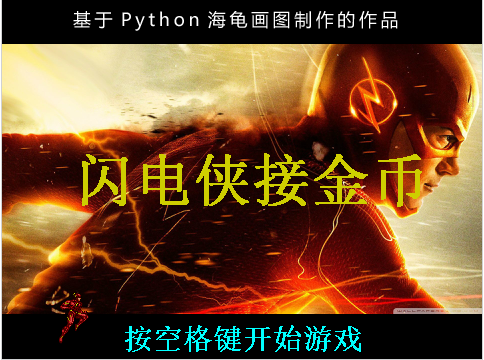
  闪电侠接金币_精灵版,本人曾用pygame和scratch做过这个游戏,
  这次重新用sprites模块做一次
  本程序借用了pygame的混音器,所以需要安装有pygame的支持。

"""
from sprites import *
from pygame import mixer

__author__ = '李兴球'
__blog__ = 'www.lixingqiu.com'

width,height = 480,360
screen = Screen()
screen.setup(width,height)
screen.bgpic('res/starspace.png')
screen.title('闪电侠接金币_精灵版,微信号scratch8,by 李兴球')

mixer.init()
coinsound = mixer.Sound('audios/collect.wav')

# 地球从小到大,透明度增加
earth = Sprite(shape='res/地球.png',visible=False,pos=(-1000,0))
earth.scale(0.01)
earth.play('audios/The Flash Theme Song.wav',loop=True)
earth.home()
earth.show()
for k in range(1,90):
    earth.scale(k/100)
    earth.setalpha(150-k)
    earth.wait(0.01)
earth.hide()

# 三个动画序幕
prelude1 = [f'res/sheldon_flash-{i}.png' for i in range(36)]
prelude2 = [f'res/tenor两个-{i}.png' for i in range(18)]
prelude3 = [f'res/timg一个-{i}.png' for i in range(40)]
dummy = Sprite(visible=False,shape='blank')
dummy.show()
for frame in prelude1:
    dummy.shape(frame)
    dummy.wait(0.1)
for frame in prelude2:
    dummy.shape(frame)
    dummy.wait(0.1)
for frame in prelude3:
    dummy.shape(frame)
    dummy.wait(0.1)
dummy.wait(1)
for k in range(90,1,-10):
    dummy.scale(k/100)
    dummy.right(45)
    dummy.wait(0.1)
dummy.setheading(0)
dummy.shape('闪电侠接金币封面.png')
for k in range(1,101,5):
    dummy.scale(k/100)
    dummy.left(45)
    dummy.wait(0.01)
# 是倒过来的,等待2秒自动反转
dummy.wait(2)
for _ in range(4):
    dummy.left(45)
    dummy.wait(0.01)

spacekey = Key("space")
screen.listen()
while not spacekey.down():screen.update()
screen.bgpic('res/longbg.png')
for k in range(90,1,-10):
    dummy.scale(k/100)
    dummy.right(45)
    dummy.wait(0.1)
dummy.hide()
screen.bgpic('res/longbg.png')
im1 = [f"im1/flash{i}.png" for i in range(1,4)]

flashman = Sprite(shape=im1)
flashman.rotatemode(1)

running = True
def alt_costume():
    flashman.nextcostume()
    screen.ontimer(alt_costume,50)
alt_costume()

def alt_bg():
    screen.move(-100,0)
    if screen.xcor() < -240:
        screen.setx(240)
    if running :
        screen.ontimer(alt_bg,50)
    else:
        screen.setx(0)
alt_bg()

coin_frames = [f'coin/{i}.png' for i in range(8)]
coins = Group(tag='coin')
for _ in range(10):
    x = random.randint(2*width,4*width)
    y = random.randint(-height//2,height//2)
    c = Sprite(shape=coin_frames,pos=(x,y),tag='coin')
    c.scale(0.3)

score = 0
clock = Clock()

以下代码省略......
下载完整源代码与素材,请
需要浏览更多吗?
成为会员后,登陆才能继续浏览!联系微信scratch8即可办理会员。
(会员专属:能浏览所有文章,下载所有带链接的Python资源。)

