
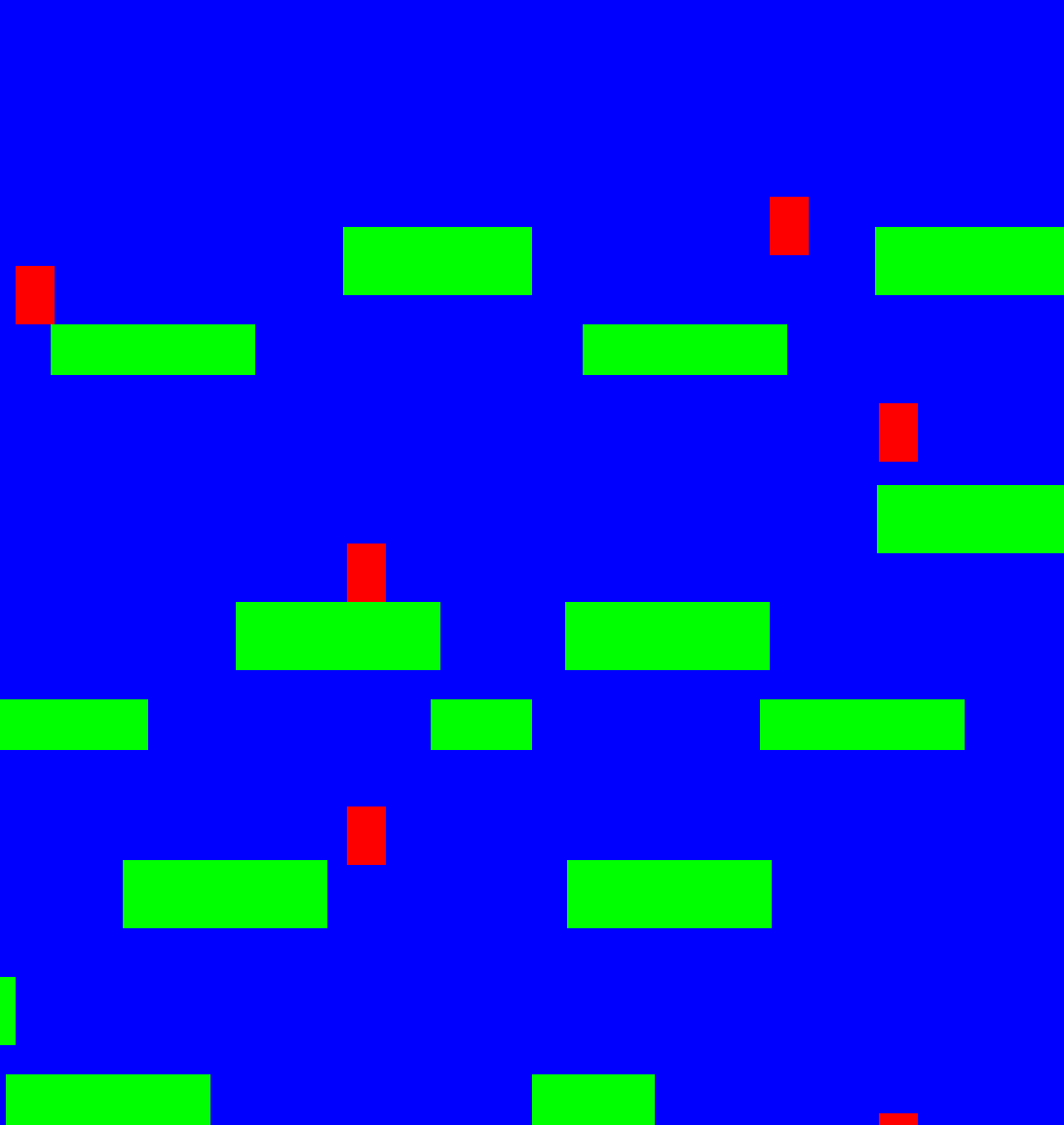
pygame horizontal scroll水平卷轴
以下是部分代码预览:
"""水平卷轴平台跳跃游戏核心原理.py"""

import pygame

# 全局常量定义
BLACK = (0, 0, 0)
WHITE = (255, 255, 255)
GREEN = (0, 255, 0)
RED = (255, 0, 0)
BLUE = (0, 0, 255)

# 屏幕尺寸定义
SCREEN_WIDTH = 800
SCREEN_HEIGHT = 600

class Player(pygame.sprite.Sprite):
    """这是玩家控制的小方块"""

    def __init__(self):
        """初始化方法,首先调用父类的同名方法 """
        super().__init__()

        # 创建角色的外形图,也可以从磁盘加载一张漂亮的图片
        self.image = pygame.Surface([40, 60])
        self.image.fill(RED)

        # 设置矩形对象,表示坐标和宽高
        self.rect = self.image.get_rect()

        # 设置玩家水平速度和垂直速度
        self.xspeed = 0
        self.yspeed = 0

        # 玩家所在关卡对象,关卡内有一些小方块,它们是平台对象
        self.level = None

    def update(self):
        """ 更新玩家坐标 """
        # 重力代码段
        self.calc_grav()

        pass

        # 上下移动

    def calc_grav(self):
        """ 设定受重力的效果"""
        pass

    def jump(self):
        """ 按跳跃键的时候让它往上跳 """
        pass

    def go_left(self):
        """ 按左移键时水平速度为负数 """
        self.xspeed = -6

    def go_right(self):
        """ 按右移键时水平速度为正数 """
        self.xspeed = 6

    def stop(self):
        """ 没有按键时水平速度为零 """
        self.xspeed = 0

class Platform(pygame.sprite.Sprite):
    """ 平台类,就是一个方块类,玩家能站在上面 """

    def __init__(self, width, height):
        """初始化方法,定义了image属性和rect属性"""
        super().__init__()

        self.image = pygame.Surface([width, height])
        self.image.fill(GREEN) # 填充为绿色
        self.rect = self.image.get_rect()


class Level():
    """ 这是所有关卡的父类"""

    def __init__(self, player):
        """ 关卡内都有很多长方形块块,这就是平台,它们组成一个组 """
        self.platform_list = pygame.sprite.Group()
        self.enemy_list = pygame.sprite.Group()
        self.player = player

        # 本关的偏移距离,按右键时它的值越来越小
        self.world_shift = 0

    def update(self):
        """ 更新关卡中对象的坐标"""
        self.platform_list.update()
        self.enemy_list.update()

    def draw(self, screen):
        """ 重画此关卡所有对象 """

        # 最后面的层是screen,所以它要先画
        screen.fill(BLUE)

        # 画所有的对象
        self.platform_list.draw(screen)
        self.enemy_list.draw(screen)

    def shift_world(self, shift_x):
        """ 玩家按左右键时要移动每个对象 """

        pass

class Level_01(Level):
    """ 定义第一关. """

    def __init__(self, player):

        Level.__init__(self, player)

        self.level_limit = -1000 # 关卡的长度

        # 第一关每个平台的宽高和坐标
        level = [[210, 70, 500, 500],
                 [210, 70, 800, 400],
                 [210, 70, 1000, 500],
                 [210, 70, 1120, 280],
                 ]

        # 遍历每个参数生成平台,并添加到列表中
        for platform in level:
            block = Platform(platform[0], platform[1])
            block.rect.x = platform[2]
            block.rect.y = platform[3]
            block.player = self.player
            self.platform_list.add(block)


class Level_02(Level):
    """ 定义第2关"""

    def __init__(self, player):

        Level.__init__(self, player)
        self.level_limit = -1000
        level = [[210, 30, 450, 570],
                 [210, 30, 850, 420],
                 [210, 30, 1000, 520],
                 [210, 30, 1120, 280],
                 ]
        for platform in level:
            block = Platform(platform[0], platform[1])
            block.rect.x = platform[2]
            block.rect.y = platform[3]
            block.player = self.player
            self.platform_list.add(block)


def main():
    """ 主程序代码 """
    pygame.init()

    # 新建屏幕对象,它是一个surface
    size = [SCREEN_WIDTH, SCREEN_HEIGHT]
    screen = pygame.display.set_mode(size)

    pygame.display.set_caption("水平卷轴平台跳跃游戏核心原理程序")

    # 创建玩家对象
    player = Player()

    # 创建所有的关卡
    level_list = [Level_01(player),Level_02(player)]

    # 设置当前的关卡
    current_level_no = 0
    current_level = level_list[current_level_no]

    active_sprite_list = pygame.sprite.Group()
    player.level = current_level

    player.rect.x = 340
    player.rect.y = SCREEN_HEIGHT - player.rect.height
    active_sprite_list.add(player)

    # 当玩家单击关闭按钮时done的值就翻转为True让循环退出.
    done = False

    # 使用它来控制屏幕的刷新速度
    clock = pygame.time.Clock()

    # -------- 游戏主循环 -----------
    while not done:
        for event in pygame.event.get():
            if event.type == pygame.QUIT:
                done = True

            pass


        # 设置fps为60
        clock.tick(60)

        # 把所画的显示出来
        pygame.display.flip()

    pygame.quit()

if __name__ == "__main__":
    main()
如需要查看完整代码,请
需要浏览更多吗?
成为会员后,登陆才能继续浏览!联系微信scratch8即可办理会员。
(会员专属:能浏览所有文章,下载所有带链接的Python资源。)

