
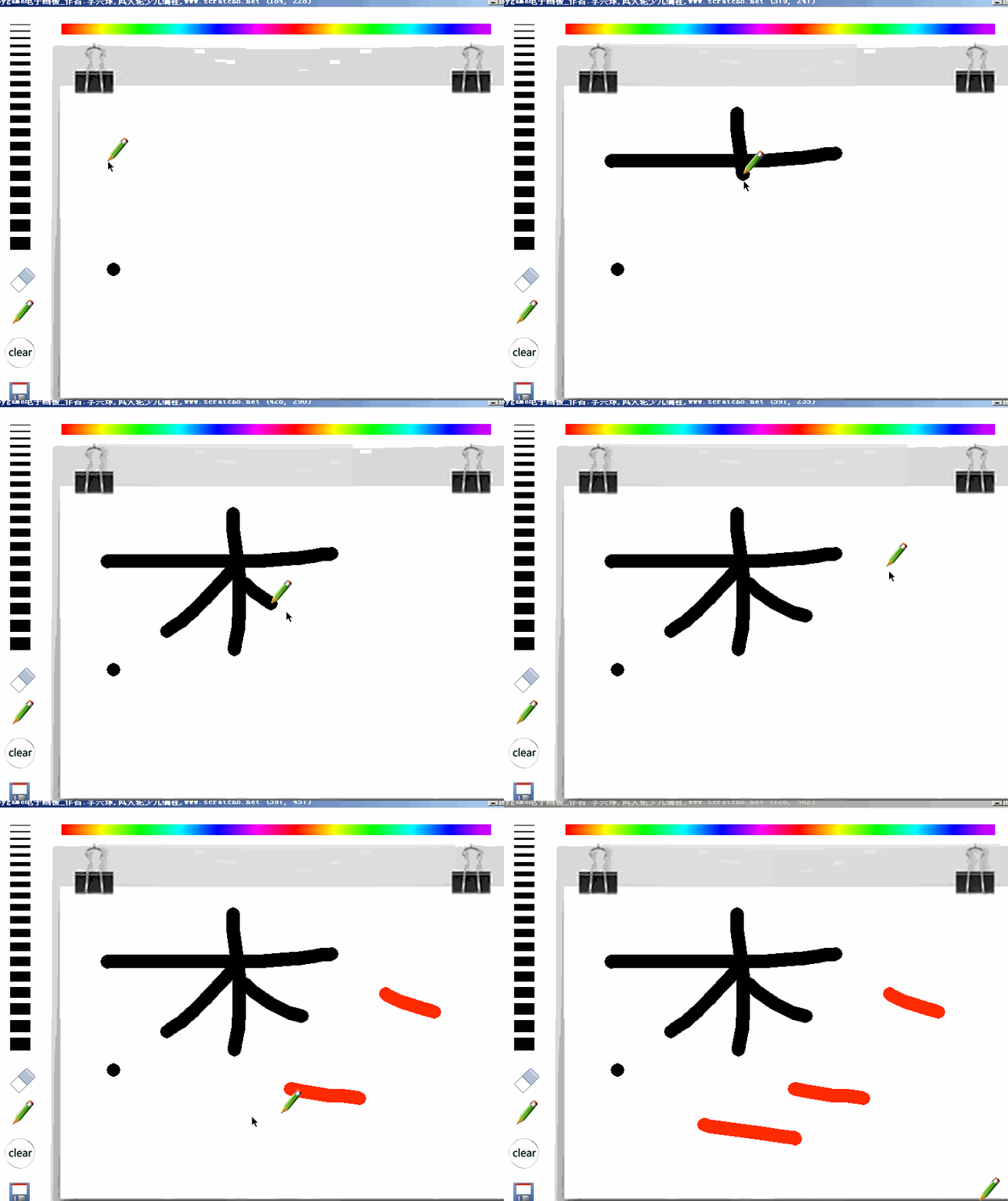
"""pygame电子画板,简单的可以用来画画的电子画板,带保存功能。采用了插值算法,画的时候不再会有断点。"""

__author__ = "李兴球"
__date__ = "2019年1月"

import os
import time
import pygame,math
from pygame.locals import *

def make_random_filename():
    s0 = "saved"
    if not os.path.exists(os.getcwd() + os.sep + s0):os.mkdir(s0)
    s1 = time.ctime().replace(":","").replace(" ","")[-1:10:-1]
    s2 = str(time.time()).split(".")[-1]
    s3 = ".png"
    return  s0 + os.sep + "".join([s1,s2,s3])

class TipBubble():
    def __init__(self,image,font_file,position,screen):
        """font_file是ttf字体文件,position是保存按钮的坐标,screen是最底渲染面"""
        self.image = pygame.image.load(image)     # 字的背景图
        self.font = pygame.font.Font(font_file,18)# 字体对象
        self.rect = self.image.get_rect()
        self.rect.topleft = position
        self.screen = screen                      # 可访问屏幕对象
        self.begin_time = 0
        self.draw_time = 5                        # 渲染时间
    pass

def insert_point(a,b,step):
    """a:起点坐标二元组,b:终点坐标二元组,step:步长"""
    points = []
    x1,y1 = a       # 起点
    x2,y2 = b       # 终点
    dy = y2 - y1
    dx = x2 - x1
    pass

def draw_thickness(thickness_rect):
    """画笔触线条的函数,也就是那一横一横黑色的条,同时记录了它们的矩形对象"""
    left = thickness_rect.x
    top = thickness_rect.y
    thickness_image = pygame.Surface(thickness_rect.size)
    thickness_image.fill((255,255,255))
    pass

class Pen():
    def __init__(self,images,screen,board,mouse_pos=None):
        self.images = images
        self.screen = screen
        self.board = board
        self.thickness = 10
        self.alt_pen(mouse_pos)

    def alt_pen(self,mouse_pos):
        """切换到笔模式"""
        self.shape = '笔'
        self.image = self.images[0]
        self.color = (0,0,0)
        self.rect = self.image.get_rect()
        self.rect.bottomleft = mouse_pos

    def alt_erase(self,mouse_pos):
        """切换到橡皮模式"""
        self.shape = '橡'
        self.image = self.images[1]
        self.color = (255,255,255)
        self.rect = self.image.get_rect()
        self.rect.bottomleft = mouse_pos

    pass

if __name__ == "__main__":

    game_title = "pygame电子画板_作者:李兴球,风火轮少儿编程,www.scratch8.net"
    width,height = 800,600
    background =  "background.png"
    topleft = (120,140)              # 画板左上角坐标
    dsize =  640,430                 # 画板宽度和高度

    pass
    tipbubble = TipBubble("dialog.png","msyh.ttf",(90,450),screen)
    while running:
        for event in pygame.event.get():
            if event.type == QUIT:
                running = False
                break
            pass

            if event.type == MOUSEBUTTONUP:
                start_draw = 0

        screen.blit(background,(0,0))
        screen.blit(board.image,board.rect)
        screen.blit(thickness_image,thickness_rect)
        pen.draw()
        tipbubble.draw()
        pygame.display.update()
        clock.tick(30)
    pygame.quit()
下载完整源代码与素材,请
需要浏览更多吗?
成为会员后,登陆才能继续浏览!联系微信scratch8即可办理会员。
(会员专属:能浏览所有文章,下载所有带链接的Python资源。)

