
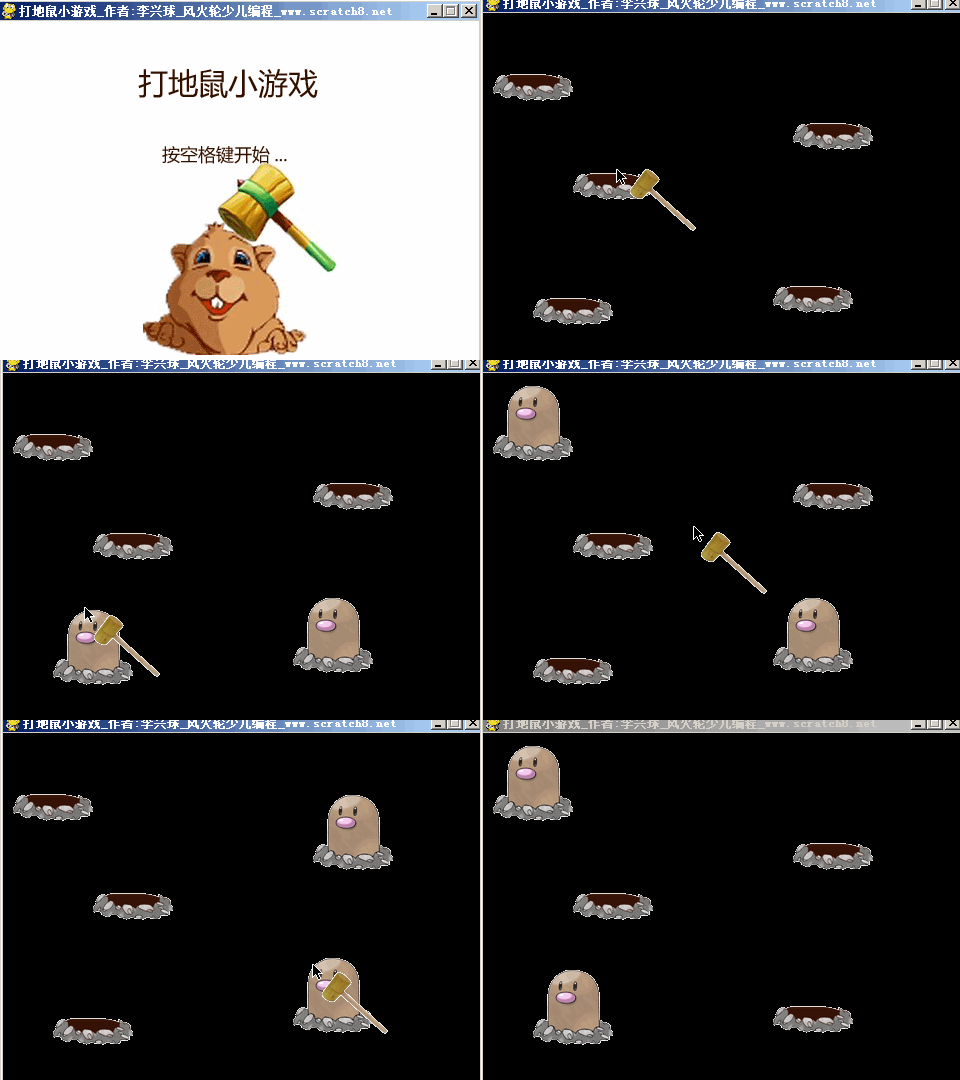
以下是部分代码预览:
"""pygame打地鼠小游戏,这是有游戏封面与配音的一个版本,作者:李兴球,风火轮少儿编程 ,www.scratch8.net。在游戏中新建了锤子类和地鼠类。在游戏中用了少许中文变量,方便初学者理解程序。"""

import pygame
from pygame.locals import *
from random import randint

class Hamster():
    def __init__(self,x,y,w,h,image0,image1):
        self.images = [image0,image1]
        self.x = x
        self.y = y
        self.w = w
        self.h = h
        pass

    def show(self):
        self.status = 1

    def hide(self):
        self.status= 0

    def draw(self):
        screen.blit(self.images[self.status],(self.x,self.y))

    def collide(self,hammer):
        """地鼠和锤子的矩形重叠"""
        return self.rect.colliderect(hammer.rect) and self.status == 1

class Hammer():
    def __init__(self,x,y,w,h,image0,image1):
        self.images = [image0,image1]
        self.x = x
        self.y = y
        self.w = w
        self.h = h
        self.status = 0                 # 表示没敲下的状态

    def setpos(self,x,y):
        self.x = x
        self.y = y
        self.rect = pygame.Rect(self.x,self.y,self.w,self.h)# 由于锤子跟着鼠标移动,所以它的rect属性要不断重设

   def draw(self):
        screen.blit(self.images[self.status],(self.x,self.y))

print("主程序开始...")
pygame.init()
屏幕宽度=480
屏幕高度=360
screen = pygame.display.set_mode((屏幕宽度,屏幕高度))
pygame.display.set_caption("打地鼠小游戏_作者:李兴球_风火轮少儿编程_www.scratch8.net")

pygame.mixer.init()
HandClap = pygame.mixer.Sound("HandClap.wav")    # 实例化击打音效
pygame.mixer.music.load("My Musicfmusic1.wav")   # 播放动听的背景音乐
pygame.mixer.music.play(-1,0)

hamster0 = pygame.image.load("地鼠隐藏.png")
hamster1 = pygame.image.load("地鼠显示.png")
hammer0 = pygame.image.load("锤子-没敲.png")
hammer1 = pygame.image.load("锤子-敲下.png")

锤子  = Hammer(0,0,80,80,hammer0,hammer1)
篮子=[Hamster(10,10,80,80,hamster0,hamster1),Hamster(90,109,80,80,hamster0,hamster1),Hamster(290,222,80,80,hamster0,hamster1)]
篮子.append(Hamster(310,59,80,80,hamster0,hamster1))
篮子.append(Hamster(50,234,80,80,hamster0,hamster1))

print("显示封面",KEYDOWN)

pass
如需要下载完整源代码及素材,请
需要浏览更多吗?
成为会员后,登陆才能继续浏览!联系微信scratch8即可办理会员。
(会员专属:能浏览所有文章,下载所有带链接的Python资源。)

