
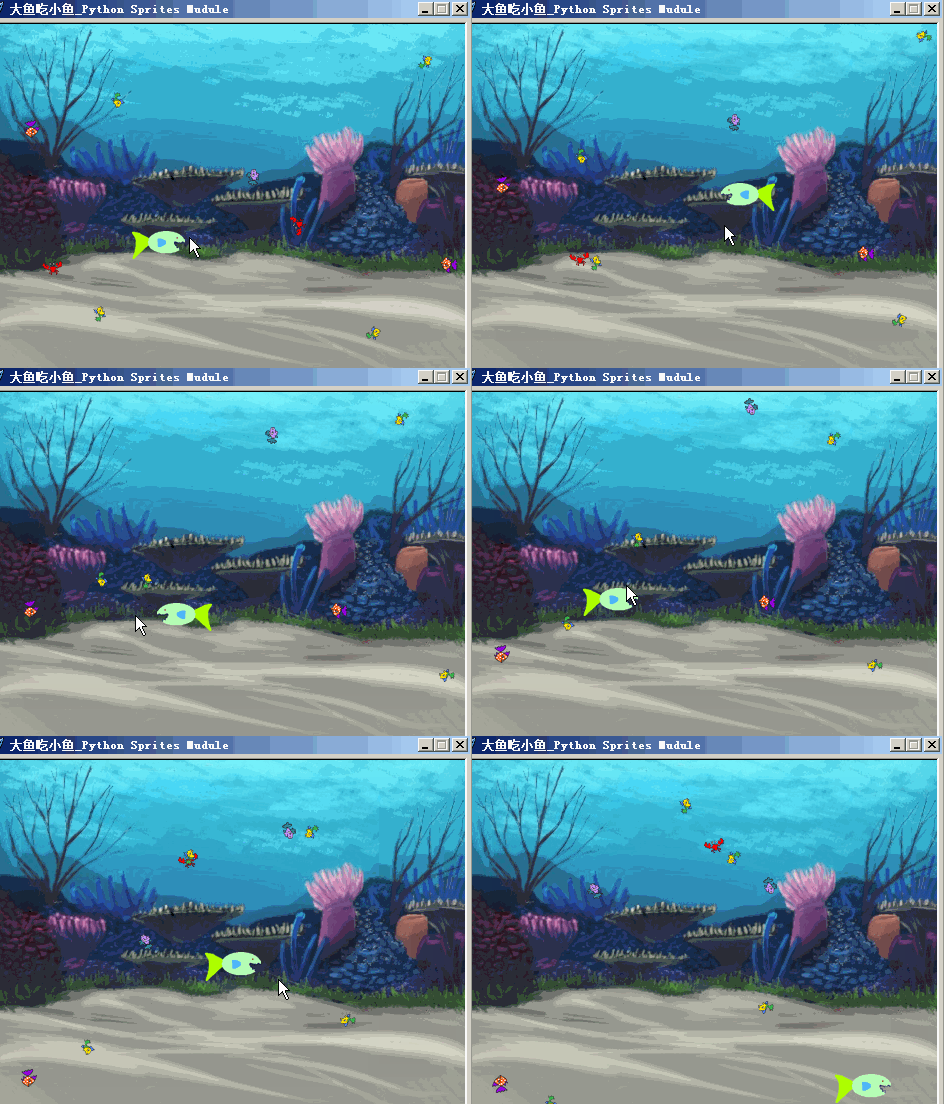
"""
   大鱼吃小鱼.py
   注意程序的mouth对象,它并不是"隐藏"的,虽然它看不见。
   小鱼碰到mouth会被“吃掉”。如果把mouth用hide命令设为隐藏,那么是无法获取到mouth的绑定盒,从而碰撞检测失效。

"""
from sprites import *

def calculate_pos(obj):
    """obj:精灵对象。这个函数计算矩形下右角的一个坐标并返回它。

    """
    x,y = obj.position()              # 角色的坐标
    mx,my = mouse_position()          # 鼠标指针的坐标
    k = 1 if mx > x else -1           # 在右则为1,否则为-1
    left,top,right,bottom = obj.bbox()# 获取绑定盒
    w = right-left                    # 大鱼的宽度
    h = top - bottom                  # 大鱼的高度
    x0 = x + k * w//2.5               # 嘴巴大概的x坐标
    y0 = y - h//12                    # 嘴巴大概的y坐标
    return x0,y0

width,height = 480,360
screen = Screen()                     # 新建宽高
screen.setup(width,height)            # 设置宽高
screen.bgpic('res/underwater.png')    # 设背景图
screen.title("大鱼吃小鱼_Python Sprites Mudule")

fish_group = Group(tag='fish')        # 新建组,标签为fish
fishes = ['res/fish1.png','res/fish2.png','res/fish3.png','res/crab-b.png']
# 由于下面的鱼的标签都是fish,所以会自动加入到fish_group中
for x in range(10):
     x = random.randint(-200,200)
     y = random.randint(-140,140)
     f = Sprite(shape=random.choice(fishes),tag='fish',pos=(x,y))
     f.scale(0.5)
[fish.setheading(random.randint(1,360)) for fish in fish_group]

m1 = Mouse(1)                        # 鼠标左键
fish = Sprite('res/fish1-a.png')     # 实例化大鱼
fish.rotatemode(1)                   # 左右翻转
fishscale= 0.6
fish.scale(fishscale)
mouth = Sprite(shape='circle')       # 实例化嘴巴,用于碰撞检测
mouthscale = 0.4
mouth.scale(mouthscale)              # 缩放嘴巴大小
mouth.setalpha(0)                    # 把它设为透明,改为非0它会显示出来
clock = Clock()                      # 新建时钟对象


以下代码省略......
下载完整源代码与素材,请
需要浏览更多吗?
成为会员后,登陆才能继续浏览!联系微信scratch8即可办理会员。
(会员专属:能浏览所有文章,下载所有带链接的Python资源。)

