
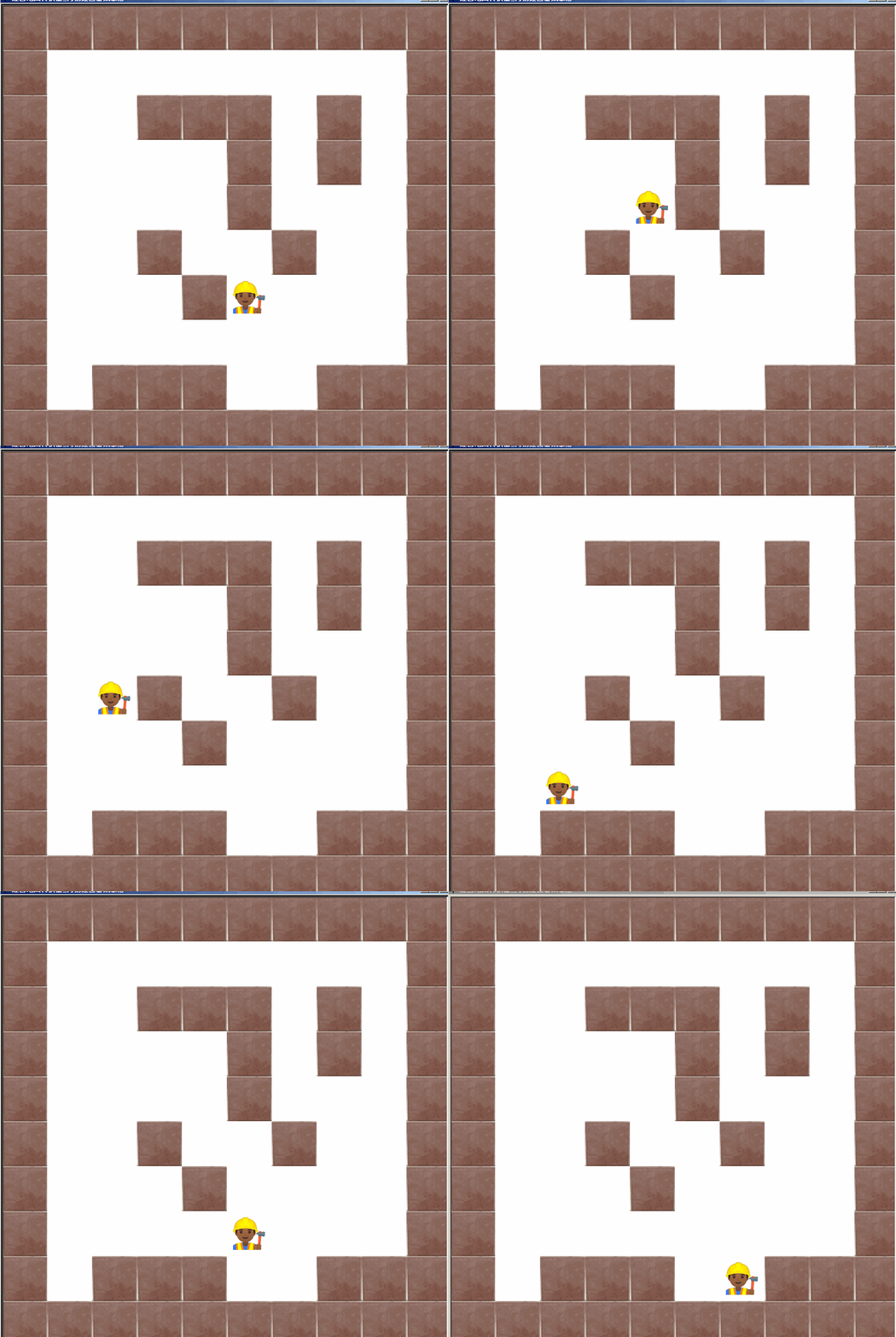
python turtle maze game model简易迷宫游戏雏形
用turtle当然可以制作精美的迷宫游戏。本程序实现一个简单的迷宫游戏。当迷宫生成后,操作一个小人在里面移动。当然小人只能在没有铺砖的地方移动。
以下是代码预览:
"""
   迷宫地图转换器_简易迷宫游戏雏形
"""

from turtle import *
from random import *

maze1 = ["1111111111",
         "1000000001",
         "1001110101",
         "1000010101",
         "1000010001",
         "1001001001",
         "1000100001",
         "1000000001",
         "1011100111",
         "1111111111"]

tile_width = tile_height = 80     # 砖块宽度和高度
rows = len(maze1[0])              # 行的数量
cols = len(maze1)                 # 列的数量
maze_height  = cols * tile_height # 总共的宽度
maze_width = rows * tile_width    # 总共的高度

screen = Screen()                 # 新建屏幕
screen.delay(0)                   # 绘画延时为0
screen.setup(maze_width,maze_height)
screen.title('迷宫地图转换器_简易迷宫游戏雏形')

# 左上角起始铺砖点
startx = -maze_width//2 + tile_width//2
starty = maze_height//2 - tile_height//2

pass

cors = {}
t = Turtle(shape='tile')
t.penup()

pass

def move_left():
    """基于预判的'碰撞检测'"""
    x = r.xcor() - tile_width
    y = r.ycor()
    if cors[(x,y)] == "0" : r.setx(x)

def move_right():
    x = r.xcor() + tile_width
    y = r.ycor()
    if cors[(x,y)] == "0" : r.setx(x)

def move_up():
    x = r.xcor()
    y = r.ycor() +  tile_height
    if cors[(x,y)] == "0" : r.sety(y)

def move_down():
    x = r.xcor()
    y = r.ycor() -  tile_height
    if cors[(x,y)] == "0" : r.sety(y)

screen.onkeypress(move_left,'Left')
screen.onkeypress(move_right,'Right')
screen.onkeypress(move_up,'Up')
screen.onkeypress(move_down,'Down')

screen.listen()
screen.mainloop()
如需要下载完整源代码及素材,请
需要浏览更多吗?
成为会员后,登陆才能继续浏览!联系微信scratch8即可办理会员。
(会员专属:能浏览所有文章,下载所有带链接的Python资源。)

