
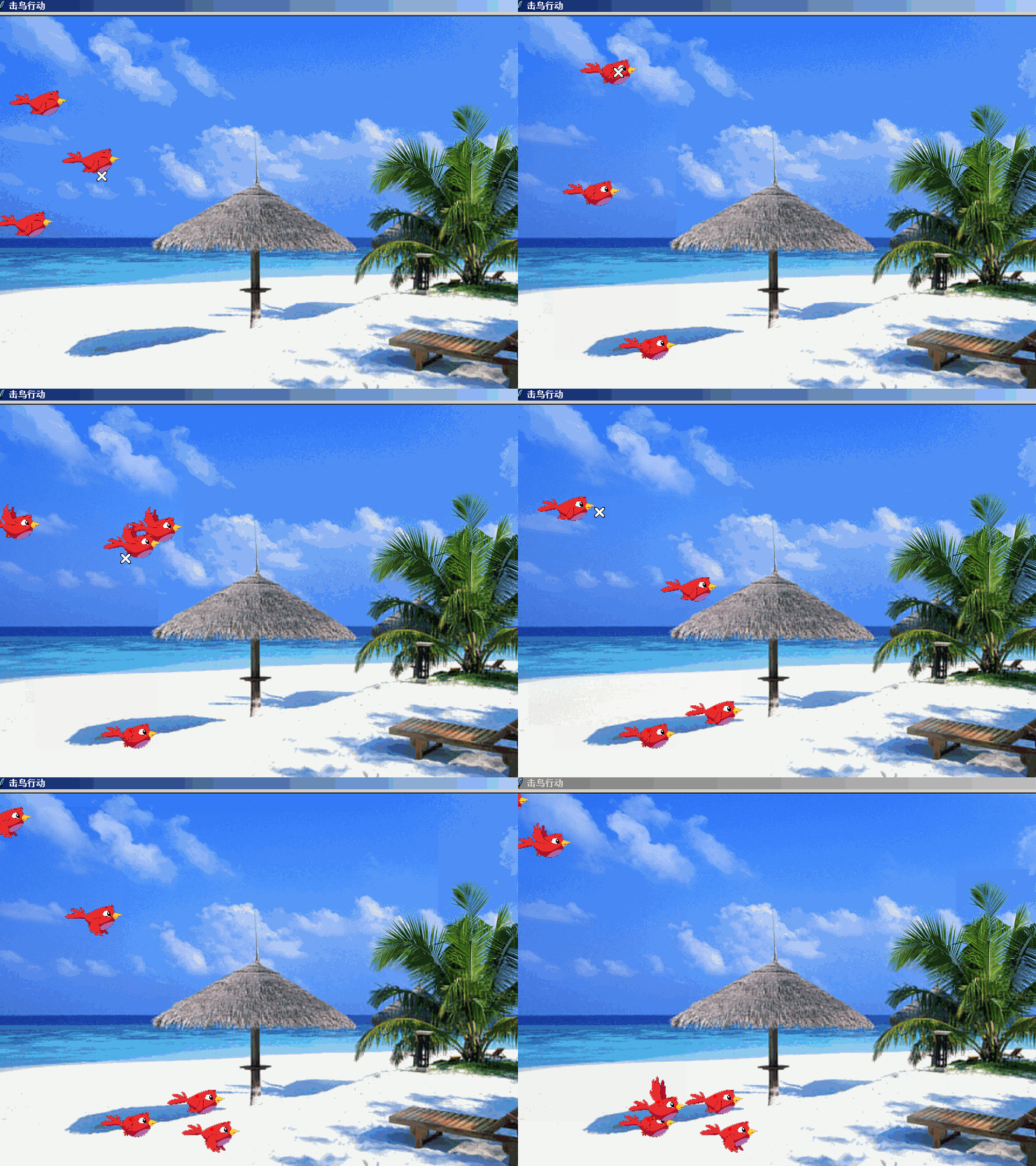
hit bird turtle game击鸟行动
以下是部分代码预览:
"""
   击鸟行动.py
   一群小鸟飞过来,用鼠标指针去单击它。
   单击到了它就从天上掉落下来,沙滩上会有形成鸟的尸体。
   这是有配音的,注意鼠标的形状也改变了。

"""

import winsound
from time import sleep
from turtle import *
from random import randint

class Bird(Turtle):
    """继承自海龟类的鸟类"""
    def __init__(self,shapes,soundfile):
        Turtle.__init__(self,visible=False)
        self.up()
        self.sndfile = soundfile
        self.images = shapes
        self.shape_index = 0
        self.shape_amount = len(shapes)  # 造型数量
        self.sw = self.screen.window_width()  # 屏幕宽度
        self.sh = self.screen.window_height() # 屏幕高度


    def start(self):
        """重新起飞"""
        self.ht()
        self._dead = False               # 表示没死
        self.goto(-30-self.sw//2,randint(-50,self.sh//2))
        self.dx = randint(10,20)
        self.dy = randint(5,10)
        self.a = 0                     # 重力加速度
        self.st()

    def alt_shape(self):
        """每隔一定时间切换造型"""
        self.shape(self.images[self.shape_index])
        self.shape_index = self.shape_index + 1
        self.shape_index = self.shape_index % self.shape_amount
        self.screen.ontimer(self.alt_shape,50)

    def hit(self,x,y):
        self.a = - 10                  # 重力加速度
        winsound.PlaySound(self.sndfile, winsound.SND_ASYNC)

    def update(self):
        """更新坐标"""
        pass

def main():
    """主要执行函数"""
    width,height = 800,600
    screen = Screen()
    screen.delay(0)
    screen.setup(width,height)
    screen.bgpic('bg.png')
    screen.title("击鸟行动")

    # 注册鸟的造型到屏幕
    birds = [f'images/{i:04d}.png' for i in range(1,82)]
    pass
    screen.getcanvas().config(cursor="X_cursor")

    birds = [Bird(birds,'getroffen.wav') for i in range(3)]

    pass

if __name__ == "__main__":

    main()
如需要查看完整代码,请
需要浏览更多吗?
成为会员后,登陆才能继续浏览!联系微信scratch8即可办理会员。
(会员专属:能浏览所有文章,下载所有带链接的Python资源。)

